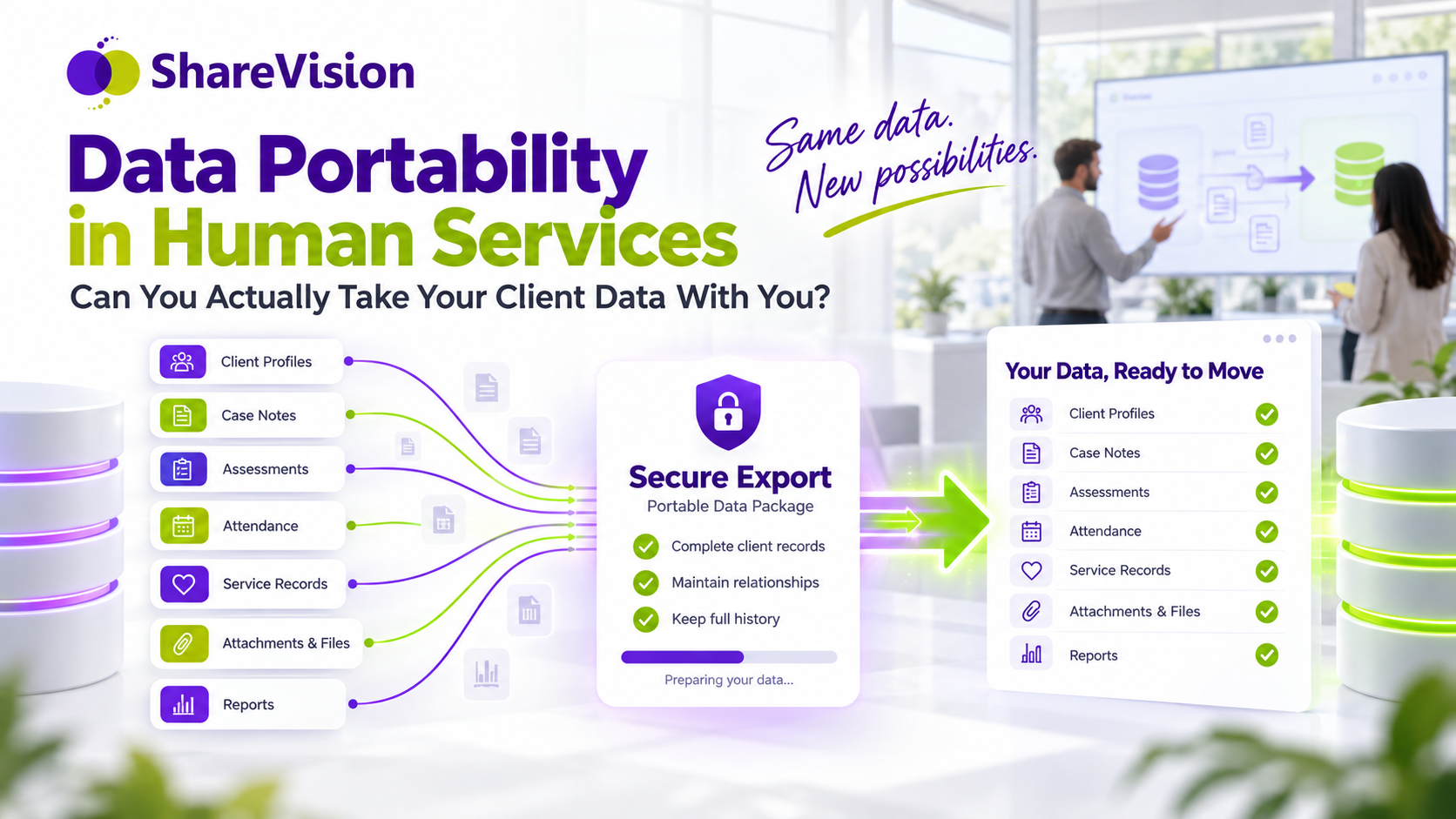
If your organization decided to change software tomorrow, what exactly could you take with you?
Your client list, probably. Your contact details, perhaps. A spreadsheet of current program enrollments might be straightforward.
But what about ten years of case notes? The assessments behind your outcome reports? Documents attached to individual incidents? The history showing who changed a record and when?
Would those records arrive in the next system with their meaning intact?
Or would your team receive 40 CSV files, a folder of documents and the responsibility of figuring out how everything fits together?
For human services organizations, this is a client-care issue. Staff rely on historical information to understand support needs, avoid unnecessary repetition and make informed decisions. A software change should preserve their ability to do that work.
Data portability in case management means being able to obtain and transfer relevant records in usable formats, with the context needed to interpret them. A useful export preserves more than individual values. It also accounts for relationships, dates, authorship, definitions and supporting documents.
That makes portability an important question before buying software—and a practical requirement when planning to leave it.
1. Your database is not the same thing as your data
A database is the technical structure a system uses to store information. Your organization’s working record includes the meaning staff attach to that information.
Consider a simple example.
An exported assessment contains the value “3.”
What does that mean?
It could indicate a high level of support, a low level of concern, the third response in a list or a score calculated from several answers. Without the assessment version, question wording and scoring rules, the value may be impossible to interpret confidently.
The same problem appears in less obvious places:
- A note has a date, but the export does not explain whether it is the service date or entry date.
- A client appears twice because the system stores separate program enrollments.
- A document is included, but its relationship to an incident is missing.
- A goal says “complete,” but the completion date and supporting evidence are absent.
- A report contains totals, but the criteria used to calculate them are unavailable.
The information has technically left the system. Its usefulness has not necessarily survived.
A practical way to assess portability is to examine three layers:
The records: profiles, notes, assessments, services and documents.
The context: definitions, dates, authors, versions and relationships.
The configuration: forms, workflows, permissions and reporting logic.
These layers may require different migration approaches. Some can be imported directly. Others need documentation, reconstruction or a separate archive.
A vendor should be able to explain the differences clearly.
Data ownership does not answer every portability question
A statement that “your organization owns its data” does not tell you what an export includes, how long it takes or what it costs.
Nor does that statement settle every question about authority over sensitive client information.
For purchasing purposes, ask for specific commitments about access, export scope, formats, assistance and end-of-contract arrangements. Separately confirm your organization’s responsibilities for handling and retaining the records.
The useful question is: Can we obtain the information we are authorized to hold, in a form we can understand and use?
2. What organizations should actually be able to export
Before evaluating export features, define what a complete record means for your services.
The inventory should cover active clients and any historical records your organization needs to retain. It should also identify information that requires restricted access or separate handling.
Client profiles and relationships
Profiles may include names, identifiers, contact preferences, accessibility needs and other relevant information.
Relationships can be just as important: household membership, support contacts, staff assignments and connections between people and programs.
An export should distinguish those relationships and preserve relevant dates or status. A former contact should not become a current contact simply because the receiving system has one contact field.
Case notes and service records
A useful case-note export should account for:
- The full note text.
- The client, case or service to which it belongs.
- The original author.
- The service date and entry date, where recorded.
- Relevant amendments, approval status and version information.
- Links to associated goals, incidents or attachments.
Preserve distinctions between a historical note and a new entry created during migration. Importing a record should not make it appear that the migration administrator wrote the original documentation.
Attachments and supporting documents
Exporting a list of attachment names is different from exporting the files.
Ask whether the package includes actual documents, filenames, file types and a manifest explaining which record each file belongs to.
Links that require access to the old platform may stop working after the subscription ends. They are not a substitute for a usable copy where a copy is required.
For signed documents, preserve the original file and any available signing evidence needed to interpret it.
Assessments and historical outcomes
A score without its context may have limited value.
Assessment exports should account for question wording, response options, answers, completion dates, instrument versions and scoring methods, subject to any applicable licensing restrictions.
Historical outcomes also need definitions. If a program changed how it measured progress, that change should remain visible.
Otherwise, a future report may compare values that were never intended to be equivalent.
Program enrollment and participation
A person may leave a program, return later and participate in another program simultaneously.
Export scope should include enrollment episodes, relevant dates, statuses, service participation and the links connecting them.
Flattening everything into one “current program” field can erase substantial history.
Incidents and follow-up
An incident record may involve several people, supporting documents, notifications and subsequent actions.
Moving only the incident description can separate the event from its response.
Confirm whether follow-up records, resolution status and relationships remain available and understandable.
Audit history
Audit information may help explain who created or changed a record and when.
The receiving platform may not be able to incorporate the old audit trail into its own native history. In that case, determine whether it can be preserved as a separate, protected archive linked to the migrated records.
Historical audit events should remain distinguishable from events generated by the migration itself.
Custom fields, forms, permissions and reports
These need explicit attention because they are often part data and part application configuration.
Custom-field values may transfer while validation rules do not. Completed forms may transfer while their layout must be rebuilt. A report’s output may be available while its calculation logic needs separate documentation.
Permissions require deliberate mapping and testing in the destination system. Copying role names is not enough to establish that access remains appropriate.
Document what will transfer, what will be rebuilt, what will be archived and what is excluded.
3. The hidden problem with proprietary structures
Every case management system organizes information in a particular way. That alone is not a problem.
Difficulty arises when only the original application can explain how the records fit together.
An export might contain fields such as StatusCode, ParentID or CustomField17. Those fields can be useful if the package includes definitions and relationship maps. Without them, the receiving team must guess.
The number of files is not the decisive issue. Forty well-documented CSV files can be a good export. One large spreadsheet can be a poor one.
What matters is whether another team can reliably reconstruct the information.
Ask for:
- A data dictionary explaining fields and values.
- Stable identifiers linking related records.
- Clear descriptions of relationships.
- Date, time-zone and formatting conventions.
- Definitions of blank, unknown and “not applicable” values.
- Documentation of custom fields and calculated values.
- An inventory of included files and known exclusions.
An API does not guarantee a complete exit
An application programming interface, or API, lets software exchange information programmatically.
That can support migration. But an API may expose only part of the record, limit how much can be retrieved or omit documents, deleted-record history and configuration.
Ask about the specific records available, access limits, costs and extraction times.
Similarly, cloud hosting does not establish portability. Where a platform runs and what a customer can export are separate questions.
A backup is not necessarily a migration package
A backup may be designed to restore the original application. Another system may not be able to read it.
A PDF archive can preserve a readable record, but it may not support filtering, calculations or workflow in the new platform.
Strong planning identifies which information needs structured import, which needs a readable archive and how staff will access both.
4. What gets lost during case management data migration
Some migration problems are obvious: missing files, truncated notes or incorrect dates.
Others become apparent only when staff try to use the information.
A note can survive while its connection to a service disappears. An assessment can retain its score while losing its scale. A client’s records can transfer while becoming visible to a wider group of employees than intended.
Common problems worth testing include:
Flattened histories. Multiple program episodes become one current status.
Changed chronology. Import dates replace original event dates, or time-zone changes alter the order of events.
Orphaned attachments. Documents exist but no longer connect to the right record.
Lost distinctions. “Unknown,” “not assessed” and “no” are treated as the same value.
Broken relationships. Household members, cases, services and incidents become incorrectly linked.
Missing report logic. Historical totals cannot be reproduced because filters or definitions were not preserved.
Permissions that are too broad or too narrow. Staff either see restricted information or cannot access records needed for their work.
A successful import message does not establish that these problems have been avoided.
Validation needs to test completeness, meaning and practical use.
5. Why historical context matters in human services
Imagine an illustrative participant, Maya, who has received support through several programs.
Her current profile is brief. Her history contains more:
A communication approach that works well. A previous referral that did not meet her needs. A transportation barrier that was resolved. A change in who she wants involved in planning. Several goals that reflect her own priorities.
During migration, the organization transfers the current profile and a recent summary. Older notes and relationship changes remain in the previous system, which is later closed.
The next worker may have to reconstruct information the organization already held. Maya may be asked to repeat her history or reconsider an option that was previously unsuitable.
The cost of poor portability appears in that interaction, not just in the migration budget.
Preserving history does not mean displaying every old note as equally relevant. Staff need to distinguish current information from superseded plans, historical concerns and resolved issues.
A sound migration approach preserves necessary context while making its age and status clear.
It can also use a tiered approach: selected records become active data in the new platform, while older material remains in an accessible, governed archive. That choice should be intentional and tested against real service needs.
6. Data portability versus interoperability
Data portability is the ability to obtain and move information in a usable form. Case management interoperability is the ability of systems to exchange information and make use of it.
The distinction matters when comparing vendors.
Portability might support moving client records to a new platform or creating an independent archive.
Interoperability might support exchanging referral updates between a case management system and a partner’s system while both remain in use.
Interoperability does not have to happen in real time. It may use scheduled transfers, APIs or other agreed exchange methods.
Neither capability guarantees the other.
A platform may integrate with a scheduling tool while offering limited access to historical attachments. Another may provide a comprehensive export but few ongoing integrations.
Evaluate the two separately:
For portability: What can we extract, understand and retain?
For interoperability: What can we exchange, with whom, how often and with what shared meaning?
In both cases, appropriate access and permitted use remain part of the design.
7. Ten questions to ask a software vendor before signing
The most useful time to discuss leaving a platform is before your organization depends on it.
Ask for written answers and supporting examples. “Yes, you can export your data” is a starting point, not a complete response.
1. What exactly can we export?
Request an itemized scope covering profiles, notes, attachments, assessments, outcomes, enrollments, incidents, audit history and archived records.
Ask the vendor to identify exclusions explicitly.
2. Will the export preserve meaning and relationships?
Request stable identifiers, field definitions, dates, authorship, record links and an attachment manifest.
Ask how another system will identify which records belong together.
3. What happens to custom fields, forms and reports?
Separate stored values from layouts, scoring rules, workflows and reporting logic.
Confirm what can be exported, what can be documented and what must be rebuilt. Identify any licensing restrictions.
4. How can we request and repeat a complete export?
Confirm whether exports are self-service or require vendor assistance.
Ask about formats, limits, turnaround time and the final extraction of records changed during the migration period.
5. Can you demonstrate an export before we sign?
Use synthetic records containing multiple enrollments, amended notes, attachments and custom assessments.
Inspect the actual package. If possible, have the prospective receiving team verify that it can interpret the information.
6. What will leaving cost, and how long will it take?
Request written information about export fees, assistance, storage, archive access and overlapping subscriptions.
Confirm notice periods and what access remains after the contract ends.
7. How are sensitive records and permissions handled?
Ask who can perform a bulk export, how the transfer is secured and how access is recorded.
Determine how sharing restrictions and permissions will be mapped and tested in the receiving system.
8. How will we verify the migration?
Agree on record counts, relationship checks, document integrity, representative case reviews and report reconciliation.
Establish how exceptions will be recorded, corrected and approved.
9. How will services continue during the switch?
Define expected downtime, access to essential records, staff training and responsibility for documenting new activity during the transition.
Include a workable contingency plan if the new system is not ready.
10. What happens to retained data after we leave?
Document archive access, retention and deletion arrangements, backup treatment and any applicable holds.
Establish when records must be retrieved and what evidence of deletion will be available.
These questions turn portability from a general promise into something the organization can evaluate.
8. How to prepare for a case management migration
Switching case management software requires coordination among service teams, administrators, technical specialists and the people responsible for privacy and records management.
The work begins before files move.
Inventory the information and its purpose
Identify what exists, where it is stored, who uses it and why it needs to remain available.
Include spreadsheets, shared folders and separate reporting systems. An organization may discover that part of the client history sits outside its main platform.
Assign a responsible person to each significant data source.
Decide what will migrate, be archived or be rebuilt
Not every record must become active data in the new system.
However, decisions about historical information should reflect service needs and applicable retention requirements. Convenience alone is a poor basis for discarding context.
Document exclusions and make sure the people responsible for service delivery understand their implications.
Map the old structure to the new one
For each important field and relationship, record its destination and any transformation.
If the old system records several enrollment episodes and the new configuration initially allows only one, resolve that difference before importing.
Keep a cross-reference between old and new identifiers so records can be traced and reconciled.
Clean data carefully
Address duplicates, inconsistent codes and formatting problems.
Preserve the distinction between correcting an error and changing historical content. Do not silently rewrite notes or merge people solely because their names resemble one another.
Keep a record of consequential changes.
Test with representative cases
Choose records that reflect complexity: long histories, multiple programs, custom forms, restricted notes, amended documents and closed cases.
Have frontline staff perform ordinary tasks in the test system. Can they find the current plan? Identify the author of a note? Open the relevant attachment? Understand an old assessment?
NHS England’s clinical migration guidance offers a useful parallel: it calls for checking records and reports, recording issues, rechecking fixes and signing off the results. Although written for clinical systems, that validation discipline is relevant to planning human services migrations. NHS England’s data-checking guidance.
Reconcile more than totals
Counts are necessary, but matching counts do not prove that records are linked correctly.
Check source dates, relationships, field values, file integrity and permissions. Compare key reports and investigate differences.
When definitions intentionally change, document why the new totals differ instead of forcing them to match.
Plan the final switch
A test export becomes outdated as staff continue working.
Define a documentation freeze or a controlled way to capture subsequent changes. Establish when the final export occurs, who checks it and how new activity is reconciled.
Avoid an uncontrolled period where staff independently update both systems.
Confirm access before retiring the old platform
Do not end access simply because the import completed.
Confirm that required records are usable, archives are accessible, staff are prepared and unresolved issues have an agreed disposition.
If a rollback becomes necessary, account for information entered in the new system. Returning to the old platform without that reconciliation can create another gap.
When migrating from spreadsheets
Migrating from spreadsheets to case management software needs the same attention to meaning.
Spreadsheet structure often depends on unwritten conventions: colours, comments, abbreviations and separate tabs. Translate important conventions into defined fields before import.
Separate people from service events and enrollment episodes. A row is not always a client, and a name is not a reliable unique identifier.
When the project is called a nonprofit CRM migration
Confirm what the CRM contains.
A constituent database may include donors, volunteers, clients and households with different purposes and access requirements.
Client-service migration needs to preserve case histories and restrictions, not simply contact details. The project’s label should not narrow the actual scope.
9. Why clean, structured data makes future technology easier
Good portability supports more than a future change of vendor.
Documented fields, stable identifiers and clear relationships can also make reporting, integrations and analytics easier to maintain.
For example, an attendance trend is more useful when scheduled appointments, completed visits and provider cancellations are consistently distinguished. A historical outcome is easier to compare when its measure and version are known.
These qualities also matter when evaluating AI tools.
An AI system cannot reliably recover missing assessment definitions or determine which of two similarly named clients an orphaned note belongs to. A fluent summary can still be built on incomplete or incorrectly linked information.
Preserving source dates, authorship and record relationships gives staff a stronger basis for checking generated outputs.
Structured data does not eliminate the need for narrative notes. The two serve different purposes. Defined fields support consistent comparisons; narrative records preserve circumstances and participant perspectives.
Future options improve when both remain understandable and appropriately accessible.
10. A vendor relationship should include an honest exit conversation
A human services organization should be able to ask how it would leave a platform without treating the question as a sign of distrust.
Programs change. Organizations merge. Funding requirements evolve. A system that fits today may not fit indefinitely.
Discussing portability at the start helps both parties define responsibilities and avoid misunderstandings later.
For organizations considering ShareVision, the same questions belong in the evaluation. ShareVision’s implementation guidance describes importing existing information and planning the transition around an organization’s needs. The scope, effort and timeline depend on the information and configuration involved. ShareVision’s implementation guidance.
Use that discussion to examine both directions: what can be brought into the platform, and what arrangements would apply if the organization later needed to move its records elsewhere.
Request specific answers about export coverage, documentation, costs and access. Those answers should be assessed alongside features, usability and implementation support.
Confidence comes from making the process clear.
Frequently asked questions
What is data portability in case management?
Data portability is the ability to obtain and transfer case management records in usable formats. Meaningful portability preserves the context needed to interpret those records, including identifiers, dates, authorship, relationships and field definitions.
Is a CSV export enough to migrate client records?
It can be part of a good migration package. CSV files need clear definitions and stable links between related records. Attachments, audit history and configuration may require additional files or documentation. File format alone does not establish completeness.
Can we migrate case notes and attachments?
That depends on what the source system can export and what the receiving system can accept. Confirm the full text, original dates, authorship and record relationships. For attachments, verify that actual files are included and can be linked to the correct records.
What is software vendor lock-in?
Vendor lock-in occurs when changing providers becomes difficult or costly because of technical dependencies, contract terms, inaccessible data or the work required to rebuild configurations. A tested export process can reduce some of those barriers.
Does an API mean a platform is interoperable?
An API can enable exchange, but meaningful interoperability also requires compatible definitions, appropriate access and the ability to use the exchanged information. Ask which records and workflows are supported.
How long does nonprofit software migration take?
There is no dependable universal timeline. The duration depends on data quality, record volume, attachments, custom configurations, vendor access and staff availability. Request a scoped plan that includes testing, correction and the final transition.
How can an organization reduce the risk of losing data?
Define the migration scope, preserve a protected source copy, map fields and relationships, run a test migration and reconcile the results. Have staff validate representative cases and confirm archive access before retiring the previous system.
Should all historical data move into the new platform?
Not necessarily. Some information may be better retained in a governed archive. The decision should account for ongoing service needs, retrieval requirements and applicable retention obligations. Staff must know where the information is and how to access it.
Before you choose your next platform, test the exit
The ability to leave software is part of choosing it responsibly.
Ask for an export demonstration. Open the files. Follow a client record from profile to enrollment, note, assessment and attachment. Check whether the history still makes sense outside the original application.
Then confirm the costs, responsibilities and access arrangements in writing.
Your organization has invested years in building those records. The people you support have contributed their time, experiences and trust.
That history should remain useful when the software changes.