Implementing Case Management Software: A Step-by-Step Guide
Implementing case management software can streamline workflows. Learn the step-by-step process to ensure a successful implementation.
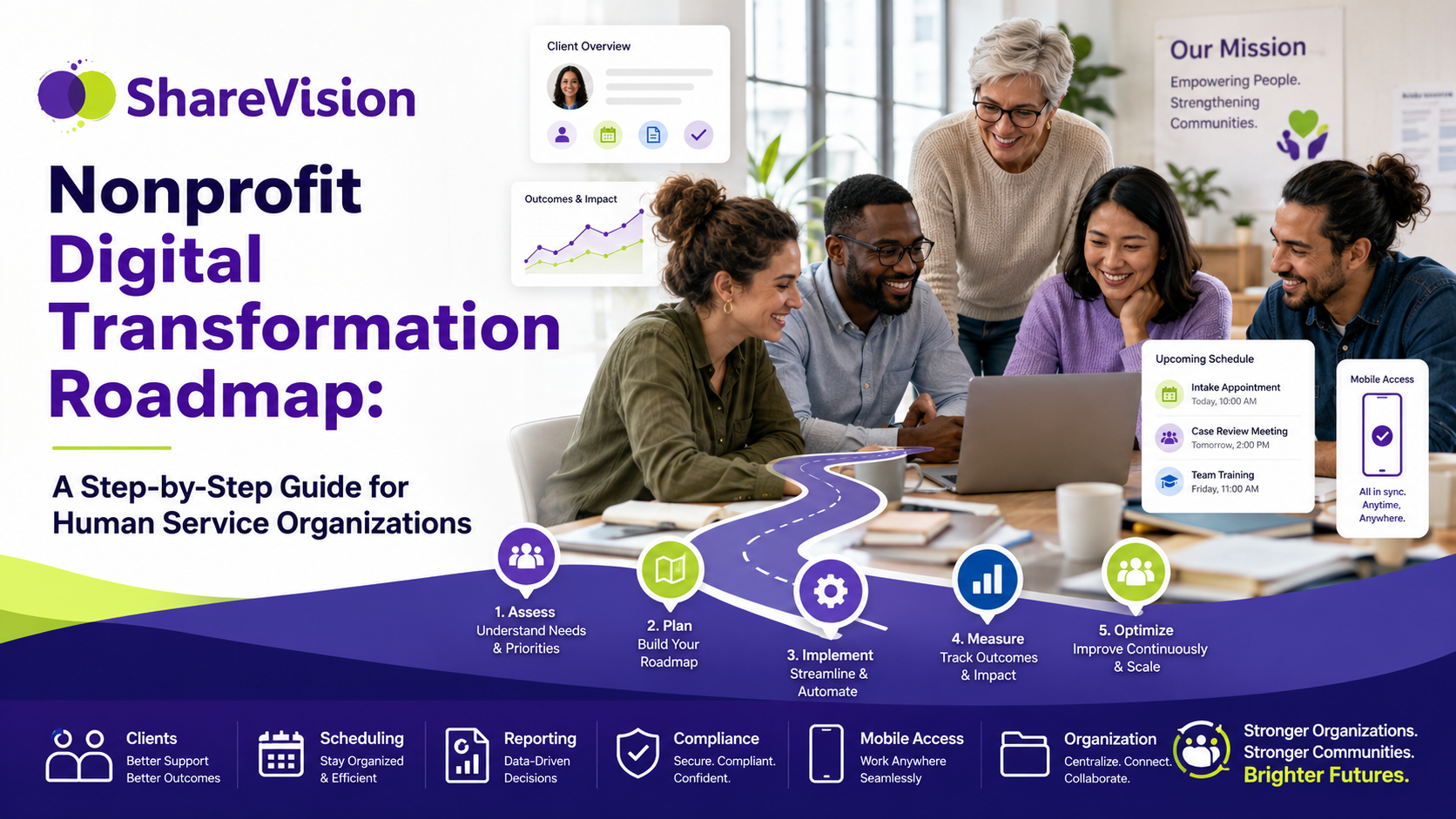
A step-by-step nonprofit digital transformation roadmap for human service organizations. Learn how to evaluate systems, build buy-in, choose software, migrate data, train staff, and measure ROI.
Human service organizations are under more pressure than ever.
Executive Directors, CEOs, IT Managers, and Program Directors are expected to improve service quality, meet complex reporting requirements, protect sensitive client information, retain staff, prove outcomes, and make better decisions with limited resources. At the same time, many organizations are still relying on paper forms, spreadsheets, shared drives, disconnected databases, outdated software, and manual reporting processes.
That gap is where nonprofit digital transformation begins.
Nonprofit digital transformation is the process of modernizing how an organization uses technology, data, workflows, and systems to improve operations, service delivery, reporting, compliance, and long-term sustainability.
For human service organizations, digital transformation is not just about buying new software. It is about building a stronger operating model. The right digital transformation strategy helps agencies reduce administrative burden, improve client care, strengthen compliance, support staff, and give leaders the information they need to make better decisions.
But transformation can also fail.
Many nonprofits invest in technology without a clear roadmap. They purchase software before mapping workflows. They migrate messy data into a new system without cleaning it first. They underestimate staff training. They treat implementation as an IT project instead of an organizational change project. They focus on features instead of outcomes.
A successful nonprofit technology roadmap does the opposite. It connects technology decisions to mission, strategy, staff capacity, service delivery, and measurable results.
This guide provides a step-by-step roadmap for human service organizations planning digital transformation, including how to evaluate current systems, build stakeholder buy-in, map workflows, choose software, migrate data, train staff, measure ROI, and plan for long-term growth.
Digital transformation looks different in every sector. In human services, it is not simply about going paperless or moving documents into the cloud.
For human service organizations, digital transformation usually involves improving how the organization manages:
|
Area |
What Digital Transformation Improves |
|
Client records |
Centralizes client information in one secure system |
|
Intake and referrals |
Streamlines entry into programs and reduces manual forms |
|
Case management |
Helps staff document services, track goals, and coordinate support |
|
Service delivery |
Makes information available to staff when and where they need it |
|
Reporting |
Reduces manual spreadsheets and improves data accuracy |
|
Compliance |
Makes required documentation easier to complete, track, and retrieve |
|
Staff workflows |
Automates reminders, approvals, tasks, and follow-ups |
|
Program visibility |
Gives managers and executives real-time dashboards |
|
Data security |
Improves control over sensitive client and organizational information |
|
Outcomes measurement |
Connects daily service activity to program impact |
A strong digital transformation strategy should make the organization more effective, not simply more digital.
Replacing a paper form with a digital form is helpful, but it is not transformation by itself. True transformation happens when information flows more easily across programs, staff spend less time on repetitive administrative work, leaders have better visibility, and clients experience more coordinated support.
Many nonprofit digital transformation projects fail because the organization treats technology as the solution instead of treating technology as part of a larger change process.
Software can improve operations, but only when it is connected to clear goals, realistic workflows, strong leadership, staff adoption, clean data, and ongoing support.
|
Why Transformation Fails |
What Usually Happens |
|
No clear strategy |
The organization buys software without defining what success looks like |
|
Leadership is not aligned |
Executives, program leaders, and IT teams have different priorities |
|
Staff are not involved early |
Frontline workers resist the system because it does not reflect their daily work |
|
Workflows are not mapped |
Inefficient processes are copied into the new system |
|
Data is messy |
Duplicate, incomplete, or outdated records create confusion after migration |
|
Training is too limited |
Staff learn basic navigation but not how the system supports their role |
|
Reporting needs are unclear |
Leaders cannot get the dashboards or metrics they expected |
|
Implementation is rushed |
The organization goes live before processes, permissions, and data are ready |
|
Change management is ignored |
Staff see the project as another administrative burden |
|
Ownership is unclear |
No one is responsible for long-term optimization after launch |
A failed digital transformation project can create frustration, wasted money, poor adoption, and loss of trust. Staff may return to spreadsheets. Managers may continue building manual reports. Executives may question the value of the investment. Clients may not experience any improvement.
The problem is rarely technology alone. More often, failure happens because the organization did not prepare the people, processes, and data around the technology.
Many nonprofits do not realize they are falling behind until inefficient systems begin affecting service quality, staff capacity, or funding reports.
Digital transformation becomes urgent when daily operations depend too heavily on manual workarounds.
|
Warning Sign |
What It Means |
|
Staff enter the same information in multiple places |
Systems are disconnected or workflows are poorly designed |
|
Program reports take days or weeks to prepare |
Data is scattered, incomplete, or difficult to access |
|
Client information lives in spreadsheets |
Sensitive information may not be secure or easy to manage |
|
Staff rely on paper forms |
Intake, assessments, and service notes are slower than necessary |
|
Leaders lack real-time visibility |
Decisions depend on delayed or manually compiled reports |
|
Compliance reviews are stressful |
Documentation is difficult to locate, verify, or standardize |
|
Staff create their own tracking tools |
Existing systems do not meet program needs |
|
Mobile workers document later |
Field-based staff do not have practical access to records |
|
Turnover causes knowledge loss |
Processes depend too much on individual memory |
|
Growth creates more administrative work |
Current systems cannot scale across programs or locations |
The strongest signal is not that the organization uses older tools. It is that staff have built unofficial systems around those tools.
When frontline workers, supervisors, and program directors rely on side spreadsheets, email chains, handwritten notes, and shared folders to do essential work, the organization no longer has a reliable source of truth.
Delaying digital transformation may feel safer than changing systems, especially for organizations with limited budgets and stretched staff. But waiting has a cost.
Outdated systems create hidden operational expenses that are often difficult to see in a budget line.
|
Hidden Cost |
How It Affects the Organization |
|
Duplicate data entry |
Staff lose time repeating the same work |
|
Manual reporting |
Managers spend hours compiling and cleaning data |
|
Poor data quality |
Leaders make decisions with incomplete information |
|
Compliance risk |
Missing records or inconsistent documentation create exposure |
|
Staff burnout |
Administrative frustration contributes to turnover |
|
Slow onboarding |
New staff must learn informal workarounds |
|
Limited scalability |
Growth requires more manual effort instead of better systems |
|
Missed funding opportunities |
Weak outcome reporting makes impact harder to demonstrate |
|
Fragmented client care |
Teams may not have access to the same current information |
For human service organizations, technology debt is not only an IT issue. It is a service delivery issue.
When systems are outdated, the organization’s mission becomes harder to fulfill.
Before evaluating software, migrating data, or building new workflows, leadership should define why the organization is pursuing digital transformation.
The purpose should be specific, measurable, and connected to mission.
Weak goal:
“We need a better system.”
Stronger goal:
“We need to reduce duplicate documentation, improve real-time visibility across programs, streamline compliance reporting, and give frontline staff secure mobile access to client information.”
Digital transformation goals may include:
|
Strategic Goal |
Operational Outcome |
|
Reduce administrative burden |
Staff spend less time on duplicate data entry |
|
Improve client care |
Teams access current client information quickly |
|
Strengthen reporting |
Leaders generate accurate reports without manual spreadsheets |
|
Improve compliance |
Required documentation is easier to track and retrieve |
|
Support growth |
Systems can scale across programs, locations, and service lines |
|
Improve staff experience |
Workflows are easier, clearer, and less frustrating |
|
Measure outcomes |
Service activity connects to impact data |
|
Improve security |
Sensitive client information is protected through permissions and controls |
A clear purpose helps the organization avoid feature-driven decision-making. Instead of asking, “Which software has the longest feature list?” leaders can ask, “Which solution best supports our mission, workflows, staff, compliance needs, and growth plans?”
A nonprofit technology roadmap should begin with a clear understanding of the current environment.
Most organizations already have more systems than they realize. Client data may be stored in case management software, spreadsheets, paper files, shared drives, finance systems, scheduling tools, email inboxes, reporting databases, and program-specific forms.
The goal of this step is to identify what is working, what is failing, and where information gets stuck.
|
System Area |
Questions to Ask |
|
Client records |
Where is the official client record stored? Is it complete and current? |
|
Intake |
How are referrals, applications, and eligibility details captured? |
|
Service documentation |
How do staff record visits, notes, goals, incidents, and follow-ups? |
|
Reporting |
Which reports are manual? Which data sources are required? |
|
Compliance |
How are required forms, deadlines, approvals, and audits tracked? |
|
Scheduling |
Is scheduling connected to service delivery records? |
|
File storage |
Where are documents stored, and who can access them? |
|
Communication |
Are important updates captured in the system or lost in email? |
|
Security |
Are permissions role-based and regularly reviewed? |
|
Data quality |
Are records duplicated, incomplete, outdated, or inconsistent? |
This evaluation should include both formal systems and informal workarounds.
Informal workarounds are especially important because they reveal where current systems are failing. If staff maintain a spreadsheet outside the official platform, there is usually a reason. The system may be too slow, too rigid, too confusing, or missing key functionality.
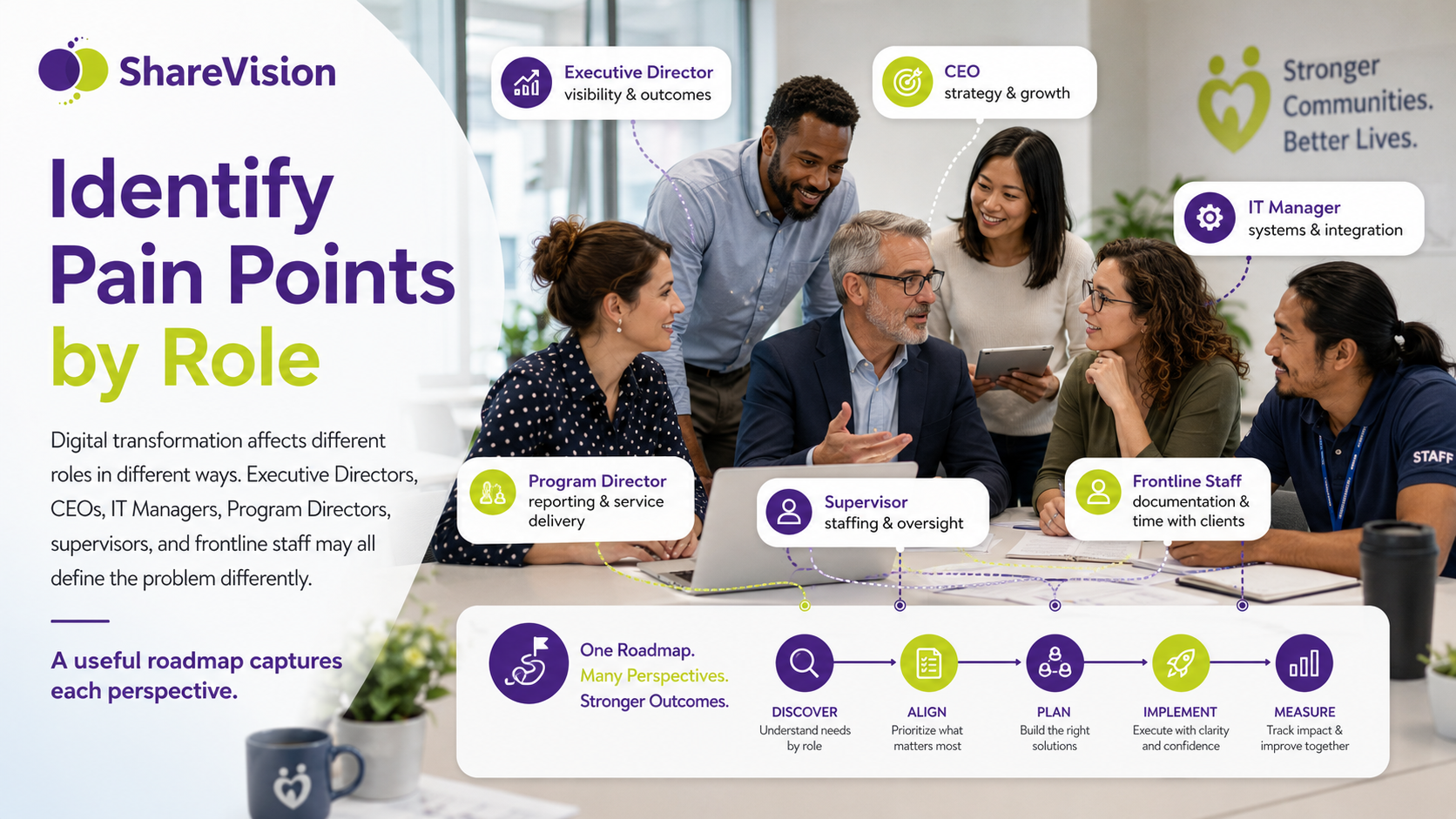
Digital transformation affects different roles in different ways. Executive Directors, CEOs, IT Managers, Program Directors, supervisors, and frontline staff may all define the problem differently.
A useful roadmap captures each perspective.
|
Role |
Common Pain Points |
|
Executive Director or CEO |
Limited visibility, weak reporting, difficulty proving impact, compliance risk |
|
IT Manager |
Disconnected systems, security concerns, integration challenges, support burden |
|
Program Director |
Manual reports, inconsistent workflows, limited program-level dashboards |
|
Supervisor |
Missing documentation, unclear staff follow-up, difficulty tracking caseloads |
|
Frontline Staff |
Duplicate entry, too many forms, poor mobile access, confusing workflows |
|
Finance or Operations |
Funding reports, billing data, utilization tracking, audit preparation |
|
Quality or Compliance Lead |
Inconsistent documentation, incomplete forms, difficulty preparing for reviews |
This role-based analysis prevents the project from becoming too narrow.
For example, a system that gives executives dashboards but makes frontline documentation harder will fail. A system that staff like but cannot support compliance reporting will also fail. A successful nonprofit digital transformation strategy balances usability, oversight, reporting, security, and long-term scalability.
Stakeholder buy-in is one of the most important parts of nonprofit digital transformation.
People support change more readily when they understand why it matters, how it will affect them, and how their input will shape the outcome.
Buy-in should start before software selection.
|
Stakeholder Group |
What They Need to Understand |
|
Board members |
How digital transformation supports strategy, risk reduction, and sustainability |
|
Executive leaders |
How the project connects to mission, growth, reporting, and staff capacity |
|
Program leaders |
How workflows, dashboards, and reporting will improve program management |
|
IT staff |
What security, integrations, permissions, and support requirements are needed |
|
Frontline staff |
How the system will reduce burden and support daily work |
|
Finance teams |
How service data connects to funding, billing, or utilization reporting |
|
Compliance teams |
How documentation standards will be tracked and reviewed |
Strong buy-in requires honest communication. Leaders should not frame digital transformation as effortless. Staff know change takes work. A better message is that the organization is investing in better systems to reduce long-term burden, improve service delivery, and support staff more effectively.
|
Message Component |
Example |
|
Why change is needed |
“Our current systems require too much duplicate documentation.” |
|
What the organization is trying to improve |
“We want staff to document once and use that information across reports and workflows.” |
|
How staff will be involved |
“Program teams will help map workflows and test forms before launch.” |
|
What will not happen |
“We are not simply adding another system on top of existing work.” |
|
What success looks like |
“Reports should take less time, documentation should be easier, and managers should have better visibility.” |
The earlier stakeholders are involved, the less likely the organization is to face resistance later.
One of the biggest mistakes nonprofits make is choosing software before understanding their workflows.
A workflow is the sequence of steps required to complete a process. In human services, workflows often include intake, eligibility screening, assessment, service planning, case notes, incident reporting, referrals, approvals, discharge, follow-up, and outcome measurement.
Workflow mapping helps organizations see how work actually happens, not just how leadership assumes it happens.
|
Workflow |
What to Map |
|
Intake |
Referral source, required forms, eligibility review, assignment, first contact |
|
Assessment |
Required questions, scoring, approvals, documentation standards |
|
Service planning |
Goals, support plans, review cycles, staff responsibilities |
|
Case notes |
Who documents, when notes are due, required fields, supervisor review |
|
Incident reporting |
Submission, notification, review, escalation, follow-up |
|
Referrals |
Source, destination, status tracking, communication, outcomes |
|
Approvals |
What requires approval, who approves, timelines, escalation rules |
|
Discharge |
Required documentation, final outcomes, follow-up steps |
|
Reporting |
Data sources, reporting frequency, audience, format |
The goal is not to preserve every existing step. It is to identify which steps are necessary, which are duplicated, which can be automated, and which should be redesigned.
|
Question |
Why It Matters |
|
What starts this process? |
Identifies the trigger |
|
Who is responsible for each step? |
Clarifies ownership |
|
What information is required? |
Defines forms and data fields |
|
Where is information currently stored? |
Reveals fragmentation |
|
Which steps are duplicated? |
Shows where efficiency can improve |
|
What deadlines apply? |
Supports reminders and alerts |
|
What approvals are needed? |
Supports workflow automation |
|
What reports depend on this process? |
Ensures data is captured correctly |
|
What exceptions occur? |
Helps design flexible workflows |
Good workflow mapping prevents organizations from digitizing bad processes.
After mapping workflows, the organization can define software requirements.
Not every feature is equally important. Requirements should be prioritized based on mission impact, compliance importance, operational efficiency, and long-term value.
|
Requirement Category |
Examples |
|
Must-have |
Secure client records, case notes, custom forms, reporting, permissions |
|
High priority |
Workflow automation, dashboards, mobile access, document management |
|
Useful |
Integrations, advanced analytics, template libraries, automated notifications |
|
Future need |
Expansion to new programs, advanced outcome tracking, external portals |
A clear requirements list helps prevent the selection process from being dominated by flashy features.
|
Requirement |
Why It Matters |
|
Centralized client records |
Creates one source of truth |
|
Configurable forms |
Supports different programs and documentation needs |
|
Case notes and service tracking |
Captures daily service activity |
|
Role-based permissions |
Protects sensitive client information |
|
Workflow automation |
Reduces manual routing, reminders, and follow-up |
|
Reporting and dashboards |
Gives leaders real-time visibility |
|
Mobile access |
Supports staff working in the community |
|
Document management |
Organizes files, forms, and attachments |
|
Outcome tracking |
Connects services to impact |
|
Audit history |
Supports accountability and compliance |
|
Data import tools |
Supports migration from older systems |
|
Scalability |
Allows growth across programs and locations |
|
Vendor support |
Helps the organization implement and optimize the system |
The best nonprofit technology roadmap links each requirement to a real operational problem.
Choosing software is one of the most visible parts of digital transformation, but it should not be the first step.
By the time an organization evaluates software, it should already understand its goals, pain points, workflows, data environment, reporting needs, and stakeholder priorities.
For human service organizations, the right software should support the full service delivery lifecycle.
|
Software Capability |
Why It Matters for Human Services |
|
Client profile management |
Maintains accurate, centralized client records |
|
Intake and referral tracking |
Improves access, eligibility, and program entry |
|
Service documentation |
Helps staff record supports, visits, and progress |
|
Care planning |
Connects goals, actions, and outcomes |
|
Incident reporting |
Supports safety, compliance, and follow-up |
|
Workflow automation |
Guides staff through required processes |
|
Reporting dashboards |
Gives leaders visibility into programs and outcomes |
|
Mobile functionality |
Supports field-based and community-based staff |
|
Secure permissions |
Protects sensitive data |
|
Configurability |
Allows the system to adapt to different programs |
|
Implementation support |
Reduces risk during setup and launch |
|
Evaluation Area |
Questions to Ask |
Score |
|
Fit for human services |
Was the system built for client-centered service organizations? |
1-5 |
|
Ease of use |
Can frontline staff document quickly and accurately? |
1-5 |
|
Configurability |
Can forms, workflows, dashboards, and permissions be adapted? |
1-5 |
|
Reporting |
Can leaders generate the reports they need without manual work? |
1-5 |
|
Mobile access |
Can staff use the system in the field? |
1-5 |
|
Security |
Does the system support role-based access and sensitive data protection? |
1-5 |
|
Implementation support |
Does the vendor guide setup, migration, training, and adoption? |
1-5 |
|
Scalability |
Can the system support future growth? |
1-5 |
|
Total cost of ownership |
Are costs clear beyond licensing? |
1-5 |
|
Vendor partnership |
Does the vendor understand nonprofit and human services operations? |
1-5 |
A strong software decision is not only about today’s needs. It should support the organization’s next stage of growth.
Data migration is one of the most underestimated parts of digital transformation.
Many organizations assume they can simply move information from the old system into the new one. In reality, data migration requires planning, cleaning, mapping, validation, and staff involvement.
Poor data migration can create major problems after launch.
|
Data Migration Risk |
Result |
|
Duplicate client records |
Staff may document under the wrong profile |
|
Incomplete fields |
Reports may be inaccurate |
|
Old or irrelevant data |
The new system becomes cluttered |
|
Inconsistent formats |
Data is difficult to search or analyze |
|
Missing history |
Staff lose important client context |
|
Poor validation |
Errors are discovered after go-live |
|
Step |
Description |
|
Inventory data sources |
Identify all systems, spreadsheets, files, and databases |
|
Decide what to migrate |
Determine which data is active, historical, required, or unnecessary |
|
Clean records |
Remove duplicates, correct errors, and standardize formats |
|
Map fields |
Match old data fields to new system fields |
|
Test migration |
Import a sample and review accuracy |
|
Validate with users |
Ask program teams to confirm records look correct |
|
Final migration |
Move approved data into the production system |
|
Post-launch review |
Check for issues and correct problems quickly |
Not all data needs to be migrated. In some cases, organizations may choose to migrate active client records and retain older records in an archived format.
The key is to make intentional decisions before the migration begins.
Training is not a one-time event. It is a critical part of adoption.
Many digital transformation projects fail because staff receive too little training too close to launch. They may learn where to click, but not how the new system fits into their role, responsibilities, and daily workflow.
Effective training should be role-based, practical, and ongoing.
|
Staff Group |
Training Focus |
|
Frontline staff |
Client records, case notes, forms, mobile access, task reminders |
|
Supervisors |
Review workflows, approvals, documentation tracking, dashboards |
|
Program Directors |
Program reports, outcome tracking, workflow oversight |
|
Executives |
Dashboards, strategic metrics, risk indicators, ROI reporting |
|
IT staff |
Permissions, system administration, support processes |
|
Compliance staff |
Documentation standards, audit tools, required forms |
|
Best Practice |
Why It Works |
|
Use real workflows |
Staff learn the system in the context of daily work |
|
Train by role |
Users only focus on what they need to do |
|
Provide practice time |
Staff build confidence before go-live |
|
Create quick reference guides |
Reduces repeated support questions |
|
Identify internal champions |
Peers help reinforce adoption |
|
Offer post-launch support |
Staff need help after they start using the system |
|
Gather feedback |
Early issues can be fixed before frustration grows |
Change management is about more than teaching software. It is about helping people shift from old habits to new ways of working.
A phased launch often works better than a single organization-wide rollout.
Human service organizations are complex. Programs may have different workflows, reporting needs, staffing models, and compliance requirements. Launching everything at once can overwhelm staff and create unnecessary risk.
|
Launch Approach |
Best For |
Risk |
|
Pilot program |
Testing workflows with a smaller group |
May not capture all organization-wide needs |
|
Phased by program |
Rolling out one service area at a time |
Requires careful coordination |
|
Phased by function |
Launching intake first, then case notes, then reporting |
Staff may temporarily use old and new systems |
|
Full launch |
Smaller organizations with simple workflows |
Higher risk if preparation is incomplete |
A phased launch allows the organization to learn, adjust, and improve before expanding.
|
Phase |
Focus |
|
Phase 1 |
Core client records, staff permissions, basic documentation |
|
Phase 2 |
Intake, referrals, and program-specific forms |
|
Phase 3 |
Case notes, service plans, incident workflows |
|
Phase 4 |
Dashboards, reporting, and outcome tracking |
|
Phase 5 |
Optimization, automation, and advanced workflows |
The goal is not to move slowly. The goal is to move in a controlled way that supports adoption and reduces disruption.
Nonprofit digital transformation should produce measurable value.
ROI does not always mean direct financial return. For human service organizations, return on investment may include time savings, reduced administrative burden, improved reporting, stronger compliance, better staff experience, and improved service quality.
|
ROI Category |
Metrics to Track |
|
Time savings |
Reduction in duplicate entry, manual reporting hours, form processing time |
|
Staff productivity |
Number of clients served, documentation completion rates, overdue tasks |
|
Reporting efficiency |
Time required to produce funder, board, or compliance reports |
|
Data quality |
Duplicate records, missing fields, incomplete notes |
|
Compliance |
Audit readiness, required documentation completion, incident follow-up |
|
Staff experience |
Satisfaction surveys, adoption rates, support tickets |
|
Client service |
Follow-up timeliness, service coordination, waitlist movement |
|
Leadership visibility |
Dashboard use, decision-making speed, program performance tracking |
|
Area |
Before Transformation |
After Transformation |
|
Monthly reporting |
Built manually from spreadsheets |
Generated from live system data |
|
Case notes |
Entered late or duplicated |
Entered once in the client record |
|
Compliance tracking |
Managed through checklists |
Automated reminders and dashboards |
|
Program visibility |
Limited to periodic reports |
Real-time dashboards |
|
Data quality |
Inconsistent across programs |
Standardized forms and fields |
|
Staff support |
Informal troubleshooting |
Structured training and support |
|
Growth |
Requires more manual coordination |
Supported by scalable workflows |
Measuring ROI helps leadership demonstrate value to boards, funders, and staff.
It also helps the organization continue improving after the initial implementation.
Digital transformation is complex, but many problems are avoidable.
|
Mistake |
Why It Creates Problems |
Better Approach |
|
Buying software too early |
The system may not fit actual workflows |
Map processes and requirements first |
|
Ignoring frontline staff |
Adoption suffers when users feel excluded |
Involve staff in discovery and testing |
|
Migrating bad data |
New system starts with old problems |
Clean and validate data first |
|
Underestimating training |
Staff lack confidence and revert to old habits |
Provide role-based training and support |
|
Copying old processes |
Inefficiencies become digital inefficiencies |
Redesign workflows before buildout |
|
Focusing only on IT |
Transformation becomes disconnected from programs |
Treat it as an organizational change project |
|
Skipping reporting design |
Leaders cannot access the metrics they need |
Define reports and dashboards early |
|
Launching too much at once |
Staff become overwhelmed |
Use a phased rollout |
|
Not assigning ownership |
System quality declines after launch |
Create governance and system owner roles |
|
Measuring only cost |
Value is underestimated |
Track time, compliance, reporting, and service impact |
The most common mistake is assuming digital transformation ends at go-live.
In reality, go-live is only the beginning.
ShareVision supports digital transformation for human service organizations by providing a configurable case management platform designed around client records, service delivery, workflows, reporting, and compliance.
Below is an example of how a human service organization might use ShareVision as part of a nonprofit digital transformation roadmap.
A mid-sized human service organization provides residential support, community inclusion, employment support, and family services. The organization serves clients across multiple programs and locations.
Before implementation, the organization relies on:
|
Current Tool |
Problem |
|
Spreadsheets |
Used for client lists, program tracking, and reporting |
|
Paper forms |
Used for intake, assessments, and some service documentation |
|
Shared drives |
Used to store documents, but permissions are inconsistent |
|
|
Used for approvals, follow-ups, and incident communication |
|
Legacy database |
Stores some client information but does not support modern workflows |
|
Manual reports |
Program managers compile monthly funder and board reports by hand |
The organization’s leadership wants to reduce administrative burden, improve reporting, standardize documentation, and give program managers better visibility.
|
Phase |
ShareVision Focus |
Outcome |
|
Discovery |
Review workflows, forms, reporting needs, and data sources |
Clear implementation plan |
|
Configuration |
Build client records, forms, permissions, and program workflows |
System reflects real operations |
|
Data migration |
Import active clients and key historical information |
Staff begin with useful records |
|
Training |
Train frontline staff, supervisors, managers, and administrators |
Users understand role-specific tasks |
|
Pilot launch |
Start with one or two programs |
Feedback improves system setup |
|
Organization-wide rollout |
Expand to additional programs and locations |
Consistent documentation across teams |
|
Reporting optimization |
Build dashboards and standard reports |
Leaders gain better visibility |
|
Continuous improvement |
Adjust workflows and add automation over time |
System grows with the organization |
|
Before ShareVision |
After ShareVision |
|
Client information is spread across multiple tools |
Client records are centralized and secure |
|
Staff enter the same information multiple times |
Documentation is entered once and reused across workflows |
|
Program reports are built manually |
Reports are generated from system data |
|
Supervisors chase missing documentation |
Dashboards and reminders improve follow-up |
|
Staff rely on paper forms |
Digital forms support consistent data capture |
|
Program leaders lack real-time visibility |
Dashboards show activity, documentation, and outcomes |
|
Compliance preparation is stressful |
Required records are easier to locate and review |
|
Growth increases administrative pressure |
Configurable workflows support scaling across programs |
ShareVision is built for organizations that need flexibility without losing structure.
Human service organizations often have different programs with different documentation needs. A residential program may require daily notes, incident tracking, medication-related documentation, and staff handover information. An employment program may need job coaching notes, employer contacts, goal tracking, and outcome reporting. A family services program may require intake forms, consent documentation, referrals, and case plans.
ShareVision allows organizations to configure workflows, forms, dashboards, and permissions around those program differences while keeping information centralized.
|
ShareVision Capability |
Digital Transformation Benefit |
|
Configurable client records |
Supports different service models |
|
Custom digital forms |
Reduces paper and standardizes documentation |
|
Workflow automation |
Guides staff through required steps |
|
Role-based permissions |
Protects sensitive information |
|
Dashboards and reports |
Improves leadership visibility |
|
Mobile access |
Supports community-based documentation |
|
Document management |
Keeps files organized and accessible |
|
Outcome tracking |
Helps demonstrate program impact |
|
Implementation support |
Helps organizations move from planning to adoption |
ShareVision does not simply replace old tools. It helps organizations redesign how information, documentation, and reporting work across programs.
Digital transformation should not stop after the first system launch.
The strongest organizations treat technology as an ongoing strategic capability. They continue improving workflows, expanding reporting, refining training, and using data to make better decisions.
A digital governance team helps maintain system quality and align technology with organizational goals.
|
Governance Role |
Responsibility |
|
Executive sponsor |
Keeps transformation connected to strategy |
|
System owner |
Oversees configuration, quality, and priorities |
|
Program representatives |
Share user feedback and workflow needs |
|
IT lead |
Supports security, integrations, and technical administration |
|
Data/reporting lead |
Ensures reports and dashboards remain accurate |
|
Training lead |
Supports onboarding and ongoing staff education |
Governance prevents the system from becoming outdated or inconsistent over time.
Programs change. Funding requirements change. Staff roles change. Client needs change.
Organizations should review workflows regularly to ensure the system still reflects current operations.
|
Review Area |
Suggested Frequency |
|
Forms and required fields |
Every 6-12 months |
|
Reports and dashboards |
Quarterly |
|
Permissions |
Quarterly or when roles change |
|
Workflow automation |
Every 6-12 months |
|
Data quality |
Monthly or quarterly |
|
Staff training materials |
Every 6-12 months |
|
Program requirements |
When contracts or funding rules change |
Digital transformation is not a one-time project. It is an ongoing practice of improving how the organization works.
A major benefit of nonprofit digital transformation is better data.
But data only creates value when leaders use it.
Human service organizations can use data to answer important questions:
|
Question |
Why It Matters |
|
Which programs have the highest demand? |
Supports resource planning |
|
Where are waitlists increasing? |
Helps leadership address capacity |
|
Which outcomes are improving? |
Demonstrates impact |
|
Which documentation tasks are overdue? |
Supports compliance |
|
Which services require more staff time? |
Helps with staffing models |
|
Where are clients dropping out of the process? |
Improves service access |
|
Which funder reports require the most effort? |
Identifies reporting improvements |
The goal is not to turn human services into a numbers-only environment. The goal is to use better information to support better human decisions.
The best nonprofit digital transformation projects are intentional, phased, and mission-driven.
|
Roadmap Step |
Key Action |
|
Define purpose |
Connect technology change to mission and strategy |
|
Evaluate systems |
Understand current tools, pain points, and data sources |
|
Identify pain points |
Gather input from executives, IT, programs, and frontline staff |
|
Build buy-in |
Communicate why change matters and how people will be involved |
|
Map workflows |
Understand how work happens before choosing software |
|
Prioritize requirements |
Separate must-have needs from nice-to-have features |
|
Choose software |
Select a platform that fits human services operations |
|
Plan data migration |
Clean, map, test, and validate records before launch |
|
Train staff |
Provide role-based training and practical support |
|
Launch in phases |
Reduce risk and improve adoption |
|
Measure ROI |
Track time savings, reporting, compliance, staff experience, and outcomes |
|
Govern long-term |
Continue improving workflows, data, training, and reporting |
A nonprofit technology roadmap gives leaders a practical path forward. It helps the organization avoid rushed decisions, reduce implementation risk, and make technology investments that create measurable value.
Nonprofit digital transformation is the process of improving how a nonprofit uses technology, data, workflows, and systems to support its mission. For human service organizations, this often includes modernizing client records, case management, reporting, compliance, workflow automation, and staff communication.
Digital transformation helps human service organizations reduce administrative burden, improve service coordination, strengthen compliance, support staff productivity, protect sensitive client information, and generate better reports for funders, boards, and leadership teams.
A nonprofit technology roadmap is a structured plan that outlines how an organization will evaluate current systems, define technology needs, choose software, migrate data, train staff, measure success, and continue improving over time.
They often fail because organizations buy software before mapping workflows, exclude frontline staff, underestimate data migration, provide limited training, ignore change management, or fail to define clear success metrics.
A nonprofit should choose human services technology based on workflow fit, configurability, ease of use, reporting needs, mobile access, data security, scalability, vendor support, and the ability to support multiple programs.
The timeline depends on the size of the organization, the number of programs, the complexity of workflows, the quality of existing data, and the scope of implementation. Many organizations benefit from a phased approach that starts with core workflows and expands over time.
Nonprofits should measure time saved, reduction in duplicate data entry, faster reporting, improved documentation completion, stronger compliance readiness, better staff satisfaction, reduced manual work, and improved visibility into program outcomes.
No. Digital transformation is an organizational change project. IT plays an important role, but success depends on executive leadership, program input, frontline adoption, workflow design, training, data quality, and long-term governance.
For human service organizations, digital transformation is not about technology for its own sake.
It is about creating better systems so staff can spend more time supporting people, leaders can make better decisions, and organizations can demonstrate their impact more clearly.
The right digital transformation roadmap helps nonprofits move away from fragmented tools, paper-heavy workflows, manual reporting, and disconnected data. It creates a more stable foundation for service delivery, compliance, reporting, and growth.
When done well, digital transformation helps human service organizations become more responsive, more efficient, and more sustainable.
It gives frontline staff better tools.
It gives program leaders better visibility.
It gives executives better data.
It gives boards and funders better confidence.
Most importantly, it gives organizations more capacity to focus on the people they serve.
If your organization is relying on spreadsheets, paper forms, disconnected systems, or manual reporting, now is the time to create a clearer path forward.
ShareVision helps human service organizations modernize client records, streamline workflows, improve reporting, reduce administrative burden, and build a stronger digital foundation for long-term growth.
Book a ShareVision demo to see how a configurable human services case management platform can support your nonprofit digital transformation roadmap.
Implementing case management software can streamline workflows. Learn the step-by-step process to ensure a successful implementation.
Learn how to become a certified case manager with our step-by-step guide, including education, certification, and specialization options for a...
Learn how to measure nonprofit outcomes, prove impact, satisfy funders, track human services KPIs, and improve reporting without overwhelming...