Why it's Time to Say Goodbye to Your Old CRM
Say goodbye to outdated CRM tools slowing your nonprofit down. Learn when to upgrade, the hidden costs of legacy systems, and how ShareVision’s...
Learn how community-based care software connects client records, programs, staff, documentation, outcomes and reporting across human services organizations
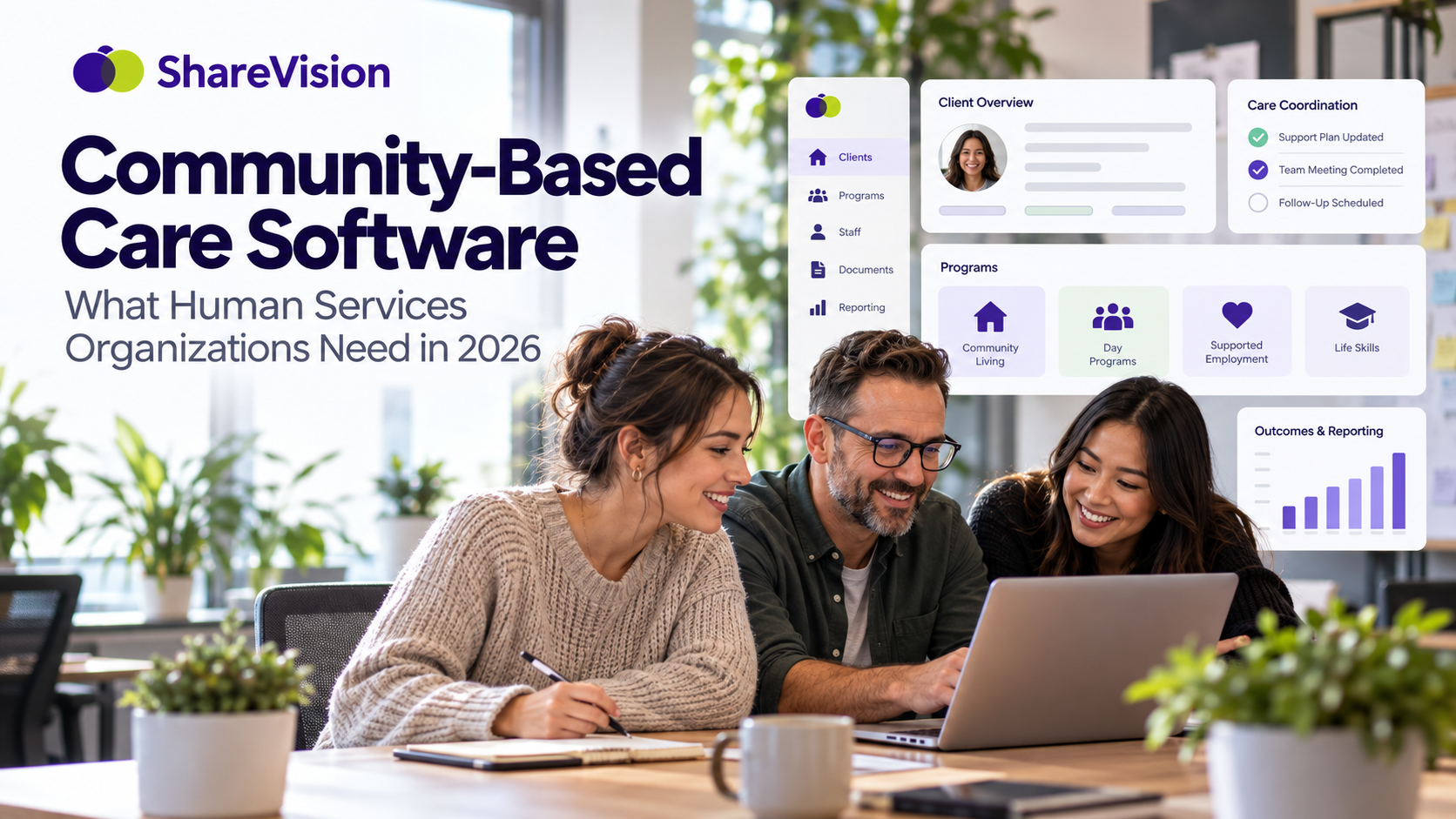
Community-based care software helps human services organizations manage something that traditional CRMs often struggle with: people receiving different services, from different staff, across different programs and locations.
Community services rarely happen in one office.
A person may receive residential support, employment services, life-skills training, transportation assistance and community participation support from the same organization.
Another person may start on a waitlist, enter one program, move to another service six months later and continue receiving support for several years.
Frontline employees may work in homes, community locations, vehicles and program facilities. Managers need visibility across those services. Leadership needs reporting. Funders want outcome data.
And all of it needs to stay connected to the person receiving support.
That is where community-based case management becomes different from standard contact management.
The question is no longer simply:
"Who is this client?"
It becomes:
"What services are they receiving, what are they working toward, what happened today and what should happen next?"
Community-based care refers to services delivered to people in their homes, local communities, workplaces, residential settings and community programs rather than relying exclusively on institutional settings.
The term can include many types of support.
Examples include:
The exact service model varies.
What these organizations often have in common is complexity.
One individual can interact with several programs, employees, facilities and services over time.
Managing those relationships through spreadsheets, paper records and disconnected applications becomes difficult as the organization grows.
A community-based care platform is a software system designed to help organizations coordinate client information, service delivery, programs, documentation and reporting across community settings.
The platform becomes a central source of information.
Rather than keeping:
organizations can connect these records around the individual, program and service.
This is particularly valuable for agencies where people receive several types of support.
The goal is not simply storing more information.
The goal is making information useful to the people delivering and managing services.
Human services organizations generate large amounts of information.
Every day, staff may document:
The problem is often not a lack of information.
It is fragmentation.
PlanStreet, for example, has recently positioned community-based care platforms around reducing fragmented systems and connecting services, staff, referrals, billing, data and outcomes. The company published a dedicated article about the category in August 2026 as it expanded its positioning around community-based services.
The broader problem is familiar to many agencies.
When information sits in several places, employees spend time searching for it, copying it, updating it and trying to determine which version is current.
Community-based care software can replace some of that manual coordination with a shared system.
Consider a community living organization.
One person may receive:
Those are five services.
But there is still only one person.
If each program operates in a separate database or spreadsheet, staff see only fragments of the individual's service history.
Residential staff know what happens at home.
Employment staff know what happens at work.
Community support workers know what happens during outings.
Management may need to manually combine information from all three.
An integrated system can keep a central client profile while connecting the person to each program in which they participate.
That creates a much clearer service history.
Traditional administrative systems often organize information around departments.
Human services work better when information can also be organized around the individual.
A client record can connect:
This creates continuity.
If someone moves from one program into another, their service history does not need to disappear with the transition.
Authorized employees can understand what came before.
Community organizations need program-level information too.
A program manager may need to know:
ShareVision allows organizations to create separate portals for programs, services and facilities while still connecting those areas to client records.
A person can participate in one program or several, and staff can see service participation from the person's profile.
That provides a useful balance.
Programs can maintain their own operational information without turning every program into a separate information silo.
Human services relationships can last years.
Looking only at someone's current program does not tell the full story.
A useful community-based case management system should track service history.
That can include:
Historical information can help new staff understand how someone's services have changed.
It also helps organizations answer operational questions.
For example:
ShareVision supports program enrollment history, referral dates, waitlists, start dates and exit dates within its service-management tools.
Waitlist management is a common challenge for community service organizations.
An Excel spreadsheet may work when a program has a small waitlist.
It becomes harder when several programs maintain separate lists.
Organizations may need to track:
Keeping waitlist information connected to program records reduces the need for separate tracking systems.
When capacity becomes available, staff have a clearer picture of who may be next for service.
Community-based care is mobile by nature.
Staff may work:
A system designed around a desktop computer in a central office does not reflect how these services operate.
Frontline workers need practical access to the information relevant to their jobs.
That might include:
They also need a way to document services without waiting until the end of the day.
ShareVision can be accessed through web browsers on phones, tablets and computers, allowing authorized staff to review and enter information closer to the point of service.
Documentation can become a major administrative burden when staff have to record the same information in several places.
For example:
A support worker helps someone practise taking public transportation independently.
The employee might have to:
That is four separate documentation tasks describing one service interaction.
A better system connects daily documentation with the broader client and program record.
The goal is not eliminating documentation.
Human services organizations need good records.
The goal is reducing unnecessary duplication.
A case note should provide context.
Consider:
"Daniel travelled from his residence to his volunteer placement using the bus today with one verbal reminder."
On its own, that is a daily activity note.
Connected to Daniel's individual goal of travelling independently, it becomes evidence of progress.
Connected to the transportation program, it becomes service-delivery information.
Included in aggregate reporting, it may contribute to an organizational outcome.
One piece of frontline documentation can become useful in several ways when information is structured correctly.
This is one of the main advantages of integrated human services case management software.
Community-based organizations increasingly need to show what their services accomplish.
Counting service activity is useful.
But activity is not the same as outcome.
An organization may report:
Those numbers describe what the organization did.
Outcome tracking asks what changed for the people receiving those services.
Examples could include:
ShareVision includes goal and outcome tracking tools designed to connect progress information with client and program records.
This allows organizations to examine individual progress alongside broader program performance.
Traditional CRM software was generally created around business relationships.
The core structure is often:
Contact → Company → Opportunity → Sale
Human services organizations operate differently.
The relationship may look more like:
Person → Referral → Intake → Program → Service → Documentation → Goal → Outcome
That distinction matters.
A standard CRM can store contact information.
But community service organizations often need much more.
They may need to manage:
|
Traditional CRM |
Community-Based Care Software |
|
Contacts |
Individuals receiving services |
|
Sales pipeline |
Referral and intake process |
|
Deals |
Program enrollment |
|
Sales activities |
Service delivery |
|
Account notes |
Case notes |
|
Sales targets |
Individual goals |
|
Revenue reporting |
Program and outcome reporting |
|
Business locations |
Facilities and residences |
|
Sales representatives |
Frontline support teams |
Human services organizations should not have to redesign their entire service model around software built primarily for sales teams.
A strong platform should reflect how services are actually delivered.
Staff need one central place for approved client information.
This can include contact information, forms, support documentation, current programs and service history.
Frontline employees need a practical way to document services and client interactions.
Case notes should remain connected to the person's record.
Organizations should be able to document personal goals and track progress over time.
Individual progress should be measurable without requiring a separate reporting database.
Human services organizations use different forms based on programs, funders and internal processes.
The system should support editable forms rather than forcing every organization into one template.
Organizations need to know who participates in each program and how those services are operating.
Referral dates, waitlist status, intake information and program entry should remain organized.
Historical service information provides useful context for staff and management.
Organizations operating residences, group homes or multiple service locations may need information organized around those facilities.
Staff should be able to access relevant information while working throughout the community.
Important follow-up should not rely entirely on employee memory or separate calendar entries.
Incident information should remain connected to client and program records.
Employees should only access information appropriate to their roles.
Managers should be able to filter and report information by client, service, program or other relevant criteria.
Residential organizations manage information at several levels.
They need information about:
ShareVision allows organizations to maintain individual facility portals alongside program and client records.
This can be useful for organizations operating multiple:
Each location can maintain relevant records without separating the people receiving support from the rest of their service history.
Employment support often involves several stages.
A person may:
A community-based care platform can help connect those stages.
Instead of measuring only "got a job," organizations can document the steps that led to the outcome.
That creates a more useful record for the person, frontline staff and program managers.
Day programs and life-skills services often combine structured activities with individual goals.
Someone may attend the same program as ten other people but work toward completely different outcomes.
One person may focus on:
Another may focus on:
Another may work toward:
Another may want:
Community-based services software should support the program while still preserving each person's individual plan.
One of the biggest problems with fragmented systems is poor continuity.
A staff member leaves.
Someone works a different shift.
A person starts a new service.
A manager changes roles.
If important information lives in one employee's inbox, personal spreadsheet or paper notebook, knowledge can leave with them.
A shared system creates a more stable organizational record.
New authorized staff can review service history and documentation instead of starting from zero.
Human services involve many deadlines and follow-up actions.
Staff may need reminders related to:
ShareVision supports alerts and reminders that organizations can configure around their processes.
Notifications can be directed to specific employees or groups based on the organization's setup.
The point is simple:
The system should help move work forward.
It should not simply store completed records.
Many organizations create reports by manually combining information from several systems.
A manager exports one spreadsheet.
Another employee counts records from somewhere else.
Someone combines the numbers in Excel.
Then the process repeats next month.
A connected platform can make reporting much easier because service information already exists in a structured format.
ShareVision allows reporting to be filtered by service and supports reporting around client records, programs and outcomes.
This gives management another way to use information frontline employees are already documenting.
Reporting is often associated with funders.
But internal reporting can be equally useful.
Leadership can use community-based service data to understand:
This can support decisions about staffing, program changes, resources and future services.
The same information collected for service documentation can become useful management information.
Adding software does not automatically solve fragmentation.
It can make things worse if each new problem gets its own application.
Organizations can eventually find themselves with:
At that point, the technology itself becomes another administrative problem.
Before adding another application, ask:
Can this information live within the system staff already use?
A configurable platform can often replace several narrow processes with connected records and workflows.
Before choosing software, map how your organization currently works.
Ask:
Those answers will tell you much more than a generic software feature list.
ShareVision was originally created in response to the operational needs of a developmental services organization in British Columbia and has since been used by community service organizations across Canada.
Its structure reflects many of the workflows common to community-based services.
ShareVision can support:
Organizations can also modify forms and build records around their existing terminology and processes.
That matters for human services agencies because service models vary considerably between organizations.
Community-based care generates information everywhere.
At a residence.
During an employment shift.
At a community activity.
During intake.
Inside a case note.
During an incident.
At an annual planning meeting.
The question is what happens to that information afterward.
If it stays trapped in separate systems, its usefulness is limited.
If it connects back to the individual, their services and their goals, the organization can use that same information for frontline support, supervision, program management and reporting.
That is the real value of community-based care software.
It is not about collecting more data.
It is about making the information your organization already collects easier to use.
Human services organizations are complicated because people's lives are complicated.
Someone may receive several services, interact with dozens of employees and move through different programs over many years.
Your software should be able to follow that history.
ShareVision provides community living and human services organizations with a configurable case-management platform for connecting client records, programs, facilities, documentation, goals, outcomes and reporting.
Instead of managing your services across spreadsheets, paper forms and separate databases, you can build a connected system around the people your organization supports.
Want to see how ShareVision can support your community-based services?
Book a ShareVision demo and see how your programs, client records and reporting can work together in one platform.
Community-based care software is a digital platform used by organizations delivering services in homes, residences, workplaces, community programs and other community settings. It can connect client records, documentation, programs, goals, outcomes and reporting.
Community-based case management coordinates information and services around people receiving support outside traditional institutional settings. It may include intake, referrals, service enrollment, case notes, goals, follow-up and outcome tracking.
Traditional CRM software primarily manages contacts, companies, sales opportunities and customer relationships. Community-based care software is designed around individuals receiving services, programs, documentation, goals, service history and outcomes.
Organizations may include developmental disability agencies, community living organizations, residential providers, employment programs, housing services, youth agencies, mental health organizations, outreach programs and other human services providers.
Yes. Platforms designed for human services can connect one person to multiple programs while keeping their information within a central client record.
Yes. ShareVision can track waitlist status, referral dates, program start dates, exit dates and enrollment history.
ShareVision can be accessed through web browsers on phones, tablets and computers, allowing authorized employees to review and enter information from different service locations.
Yes. ShareVision includes tools for tracking individual goals, indicators, influencing factors, progress, surveys and assessments, with reporting options for reviewing outcome information.
Yes. Organizations can create separate facility portals for residences, group homes and other service locations while connecting those facilities with client and program information.
Spreadsheets can become difficult to manage when organizations need shared client histories, several programs, mobile documentation, permissions, alerts, forms and organization-wide reporting. A connected case-management system can bring those processes together.
Say goodbye to outdated CRM tools slowing your nonprofit down. Learn when to upgrade, the hidden costs of legacy systems, and how ShareVision’s...
Youth Mental Health services thrive with ShareVision CRM, enhancing case management, resource tracking, and communication for better care outcomes.
Discover the key regulatory compliance considerations when using case management software in your organization. Learn how to ensure your software...