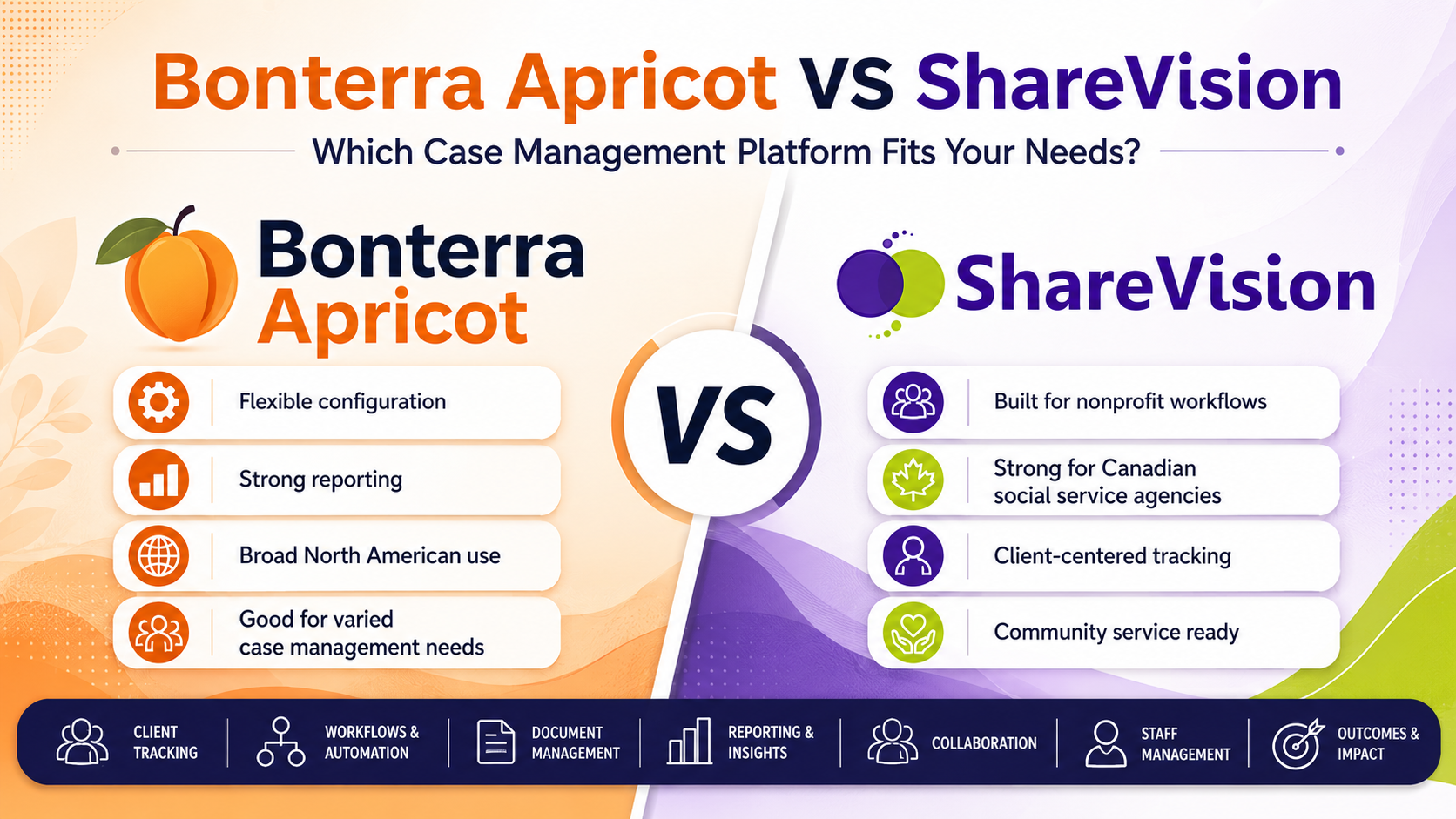
Bonterra Apricot VS ShareVision is a common comparison for nonprofits, social service agencies, and human services teams that need better client tracking, reporting, case notes, service documentation, staff workflows, and outcome measurement.
Both platforms serve mission-driven organizations. Both can help replace spreadsheets, paper files, and disconnected records. But they are not built around the exact same operating model.
Bonterra describes Apricot as case management software for nonprofits and public sector agencies, with data capture, reporting, analytics, security, and three platform tiers. ShareVision positions itself as nonprofit CRM and case management software for social service agencies, with client tracking, outcomes tracking, staff management, service documentation, alerts, and flexible reports.
The simple answer
Choose Bonterra Apricot if your team wants a broad nonprofit case management database with strong customization, reporting, and an established case management category presence.
Choose ShareVision if your agency wants a platform built around daily social service work: client records, service notes, outcomes, staff workflows, approvals, alerts, programs, residences, reporting, and team coordination in one place.
For many social service agencies, the real issue is not “which platform has the longest feature list?” It is “which platform fits the way our team documents care, tracks services, reports to funders, and coordinates work every day?”
What Bonterra Apricot does well
Bonterra Apricot is a strong option for organizations that want a configurable case management platform. Bonterra says Apricot helps nonprofits streamline case management by making data tracking, reporting, and service delivery faster. Its product page also notes three tiers for nonprofits and public sector agencies, including Apricot Essentials.
Bonterra also promotes case management features like role-based permissions, field-level security, built-in compliance tools, analytics, reporting, and outcome tracking.
That makes Apricot a fit for teams that need:
- Configurable forms and fields
- Program-level reporting
- Case notes
- Participant records
- Analytics and dashboards
- Permission controls
- Grant and outcome reporting
- A mature nonprofit software brand
Apricot also has a large base of public reviews. Capterra Canada lists Bonterra Apricot with a 4.2 overall rating based on 224 reviews, with ratings for ease of use, customer service, features, and value for money.
Where Bonterra Apricot may feel heavy
Apricot can be powerful, but the same customization that helps larger teams can create setup and admin work. Some public reviews praise Apricot for being intuitive and customizable. Others mention slow loading, support concerns, or complexity around configuration.
That does not mean Apricot is a bad product. It means the buying team needs to ask the right questions before signing:
- Who will manage form changes?
- How long will implementation take?
- How much admin training is needed?
- Can frontline staff use it without friction?
- How fast can managers pull reports?
- How easy is it to adjust workflows as programs change?
If your agency has internal systems staff or a dedicated database admin, Apricot may work well. If your team needs a system that maps closely to social service operations out of the gate, ShareVision may be easier to position internally.
What ShareVision does well
ShareVision is built for nonprofits and social service agencies that need one secure place to manage people, programs, services, outcomes, staff workflows, and reporting.
ShareVision’s client tracking page describes custom reports, client details, client interactions, relationship tracking, communication preferences, and client management tools.
Its outcomes tracking page describes goal tracking, personalized progress plans, forms, checklists, reports, mobile access, date and user stamps, alerts, notifications, enrollment history, contact management, and tools for nonprofit service delivery.
ShareVision also has staff management tools for forms, approvals, pending requests, certification tracking, and manager visibility.
That matters because nonprofit case management is rarely only about one client record. A strong system needs to connect:
- Client intake
- Service plans
- Case notes
- Daily documentation
- Goals and outcomes
- Staff approvals
- Program records
- Incident or urgent alerts
- Follow-up tasks
- Reporting
- Accreditation support
- Leadership visibility
ShareVision fits best when the agency wants operations, documentation, and reporting to work together.
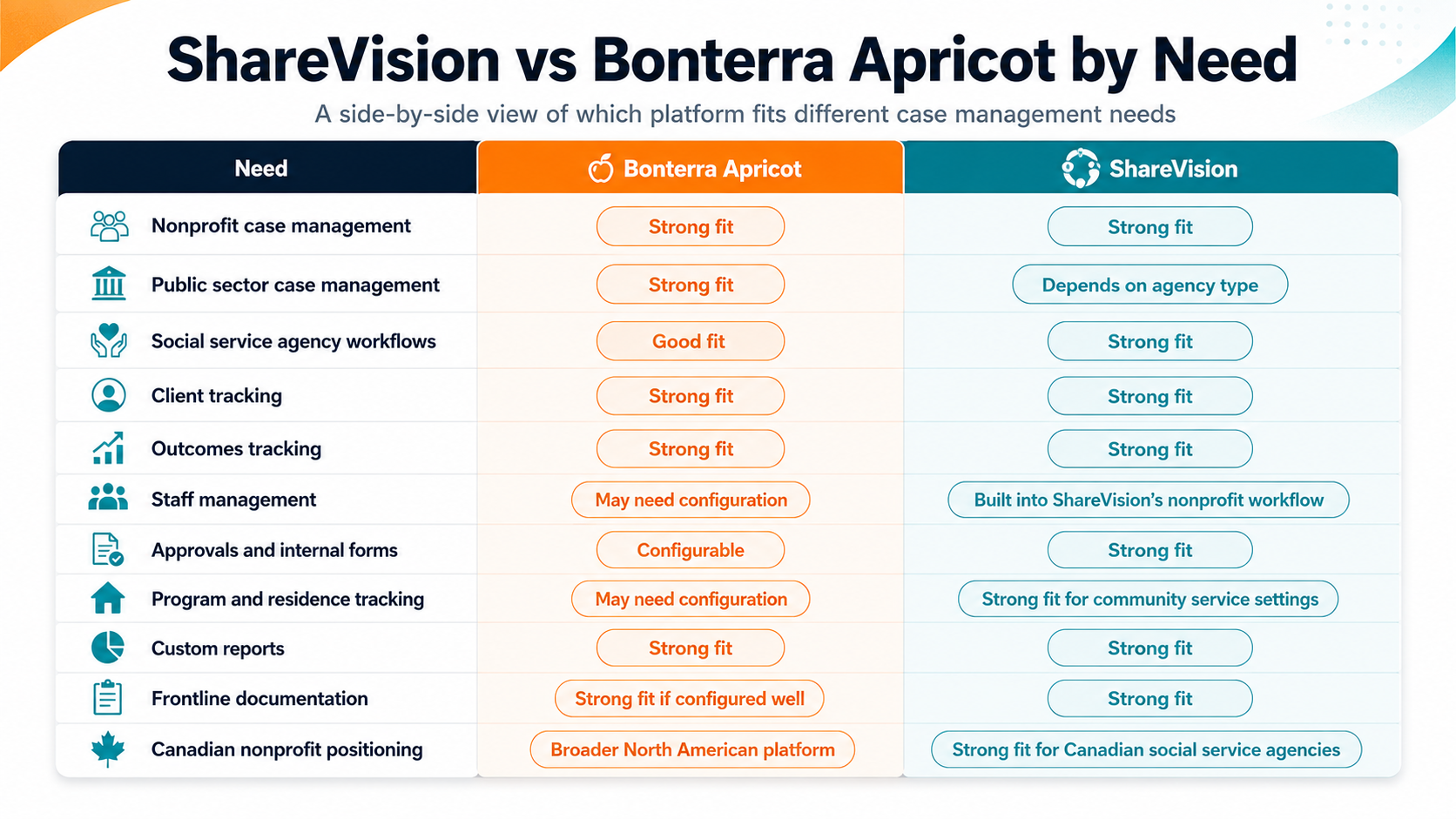
ShareVision vs Bonterra Apricot by need
|
Need
|
Bonterra Apricot
|
ShareVision
|
|
Nonprofit case management
|
Strong fit
|
Strong fit
|
|
Public sector case management
|
Strong fit
|
Depends on agency type
|
|
Social service agency workflows
|
Good fit
|
Strong fit
|
|
Client tracking
|
Strong fit
|
Strong fit
|
|
Outcomes tracking
|
Strong fit
|
Strong fit
|
|
Staff management
|
May need configuration
|
Built into ShareVision’s nonprofit workflow
|
|
Approvals and internal forms
|
Configurable
|
Strong fit
|
|
Program and residence tracking
|
May need configuration
|
Strong fit for community service settings
|
|
Custom reports
|
Strong fit
|
Strong fit
|
|
Frontline documentation
|
Strong fit if configured well
|
Strong fit
|
|
Canadian nonprofit positioning
|
Broader North American platform
|
Strong fit for Canadian social service agencies
|
The main buying question
The best case management platform is not the one with the most features. It is the one your staff will actually use.
A social service team might need to document client progress after a visit, flag a concern, update a goal, notify another staff member, attach a form, track a follow-up, and give a manager enough information to report on service delivery. That work happens across shifts, roles, programs, and locations.
If that information lives in different places, the agency loses time. Staff repeat work. Managers chase updates. Funders get reports later than they should. Client history becomes harder to trust.
This is where ShareVision’s fit becomes clear. It brings client tracking, outcomes, forms, staff workflows, notifications, and reports into a system designed around nonprofit and social service operations.
When Bonterra Apricot may be the better fit
Bonterra Apricot may be the better option if your organization:
- Has a dedicated data or systems admin
- Wants a broad nonprofit case management database
- Needs advanced configuration
- Already uses other Bonterra tools
- Wants a platform with a large third-party review footprint
- Has complex program structures that need custom database design
- Has the budget and time for a deeper setup process
Apricot can be a strong choice for organizations that want control over structure and have the internal resources to manage that structure.
When ShareVision may be the better fit
ShareVision may be the better option if your organization:
- Works in social services, community living, youth services, housing, disability support, family services, or related programs
- Needs stronger client tracking
- Wants outcomes tracking tied to real client plans
- Needs staff workflow tools
- Wants alerts and notifications for daily operations
- Needs flexible reporting without scattered spreadsheets
- Wants software that reflects how agencies actually deliver services
- Needs a platform that can support documentation, accountability, and team coordination
ShareVision is especially strong for agencies that need more than donor management or generic CRM features. It is built around service delivery.
Why this comparison matters for nonprofits
Nonprofits and social service agencies face a hard mix of pressure:
- More documentation
- More funder reporting
- More compliance expectations
- More staff turnover
- More demand for services
- Less tolerance for wasted admin time
In Canada, registered charities must file the T3010 annually within six months of fiscal year-end, which adds pressure for reliable data and reporting discipline.
Privacy expectations also matter. The Office of the Privacy Commissioner of Canada states that PIPEDA applies to private-sector organizations across Canada when they collect, use, or disclose personal information during commercial activity. It also notes that commercial activity can include selling, bartering, or leasing donor, membership, or fundraising lists.
Even when a nonprofit is not covered by one specific privacy rule in every situation, the operational need stays the same: client data, service records, notes, and reports need to be managed carefully.
Final verdict
Bonterra Apricot is a strong case management platform with broad nonprofit appeal, strong customization, reporting, analytics, and a large review footprint.
ShareVision is a strong fit for social service agencies that want practical nonprofit CRM and case management software tied to client tracking, outcomes, staff workflows, forms, service records, alerts, approvals, and reporting.
If your team mainly needs a configurable case management database, Bonterra Apricot belongs on the shortlist.
If your team needs a nonprofit CRM built around service delivery, client documentation, daily staff coordination, and outcomes tracking, ShareVision may be the better fit.
FAQ
Is ShareVision a Bonterra Apricot alternative?
Yes. ShareVision can be considered a Bonterra Apricot alternative for nonprofits and social service agencies that need case management, client tracking, reporting, outcomes tracking, and staff workflows.
Is Bonterra Apricot better than ShareVision?
Not for every organization. Bonterra Apricot may be better for teams that want broad customization and a larger case management database structure. ShareVision may be better for agencies that want software built around social service operations and daily client support.
What type of organization is ShareVision best for?
ShareVision is best for nonprofits, social service agencies, community living organizations, youth services, disability support providers, and human services teams that need client tracking, outcomes, documentation, staff workflows, and reporting.
What should nonprofits compare before choosing software?
Compare daily staff usability, client record structure, reporting, outcome tracking, implementation time, workflow flexibility, permissions, privacy needs, support, and total cost.