How to Measure Nonprofit Outcomes in Human Services
Learn how to measure nonprofit outcomes, prove impact, satisfy funders, track human services KPIs, and improve reporting without overwhelming...
Learn how human services organizations can reduce administrative burden, streamline documentation, improve reporting, and give frontline staff more time with clients.
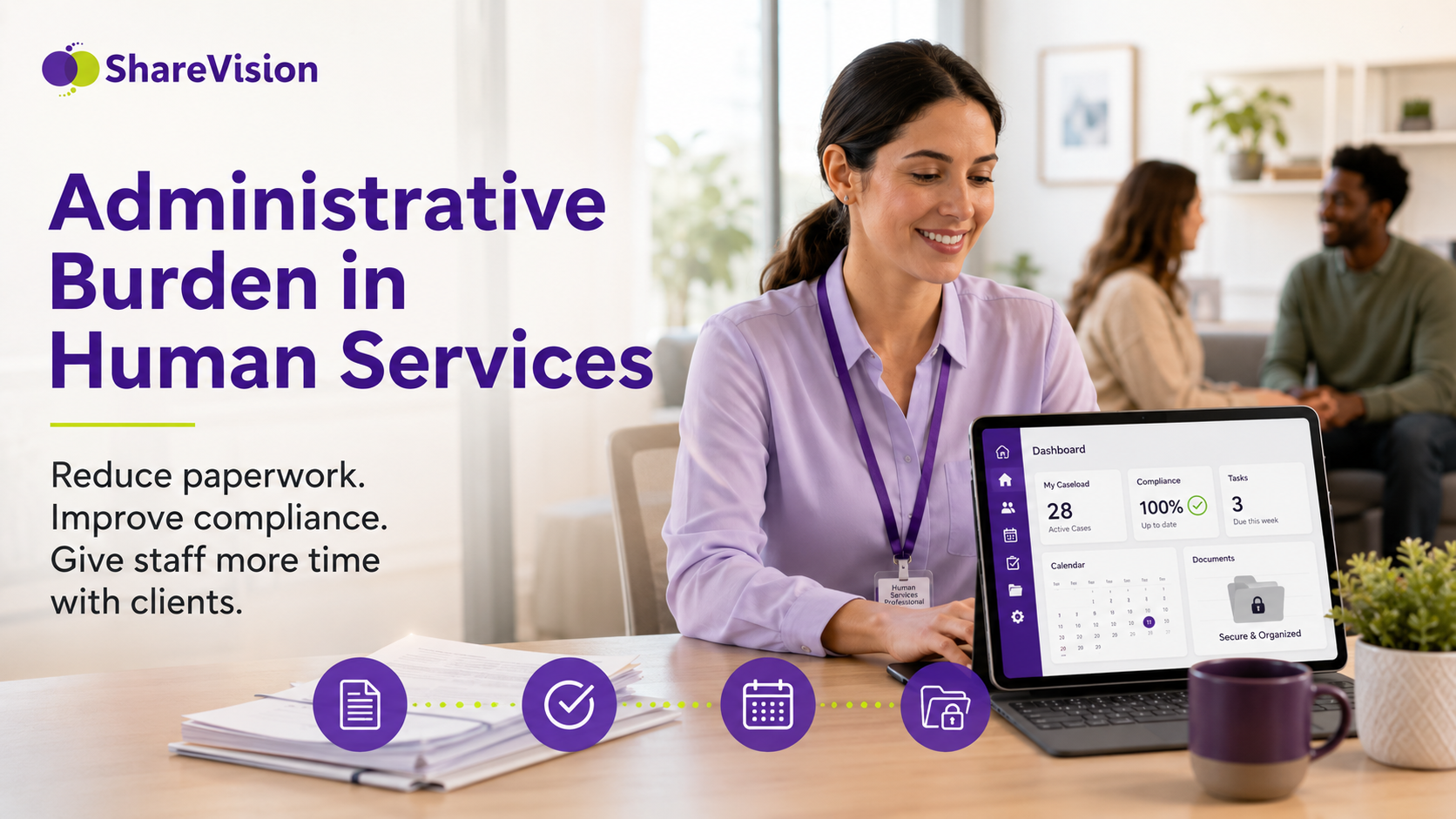
Human services organizations exist to support people. Whether the work involves disability services, behavioral health, child and family services, residential care, community living, housing support, employment programs, or case management, the mission is always people-centered.
But for many organizations, the daily reality looks very different.
Frontline staff are spending more time completing forms, updating spreadsheets, searching for client information, preparing reports, and entering the same data into multiple systems. Supervisors are spending hours tracking down missing documentation. Program leaders are manually compiling reports for funders, boards, and compliance reviews. Executives are trying to make decisions with data that is often incomplete, outdated, or scattered across disconnected tools.
This is the growing problem of administrative burden in human services.
Documentation, reporting, and compliance are necessary. They protect clients, support accountability, and help organizations demonstrate impact. But when administrative work becomes repetitive, fragmented, or overly manual, it creates a serious operational problem.
The goal is not to eliminate documentation. The goal is to eliminate unnecessary administrative work.
Human services organizations need systems that help staff document services efficiently, access information quickly, reduce duplicate data entry, and generate reliable reports without pulling time away from client care.
Administrative burden in human services refers to the time, effort, and resources required to complete documentation, reporting, compliance, communication, and internal process tasks that support service delivery.
Some administrative work is essential. Every organization needs accurate records, secure documentation, and reliable reporting. The problem begins when staff are forced to complete unnecessary, duplicated, or overly complex administrative tasks that do not directly improve client outcomes.
|
Type of Administrative Work |
Why It Matters |
When It Becomes a Burden |
|
Client documentation |
Supports continuity of care and compliance |
Staff enter the same information in several systems |
|
Intake forms |
Creates a structured client record |
Forms are paper-based, duplicated, or manually retyped |
|
Service notes |
Records client interactions and progress |
Notes must be copied into spreadsheets or reports |
|
Funding reports |
Demonstrates use of resources and outcomes |
Staff manually compile data from multiple sources |
|
Compliance tracking |
Reduces organizational risk |
Requirements are tracked through disconnected checklists |
|
Scheduling |
Coordinates services and staff availability |
Schedules are separated from client records |
|
Outcome measurement |
Shows program effectiveness |
Data is collected inconsistently or too late |
|
Internal communication |
Keeps teams aligned |
Updates are buried in email threads or informal notes |
Administrative burden is not caused by one form, one spreadsheet, or one reporting requirement. It usually grows over time as organizations add new programs, funders, regulations, software tools, and internal processes.
Eventually, staff are not simply documenting their work. They are working around the documentation system.
The human services sector has become more complex. Organizations are expected to provide high-quality services while also meeting increasing demands from funders, regulators, boards, families, partners, and communities.
Many agencies are now expected to:
|
Requirement |
Impact on Staff |
|
Prove measurable outcomes |
Staff must collect and report more detailed data |
|
Meet funder-specific reporting rules |
Different programs may require different documentation |
|
Protect sensitive client information |
Teams need secure systems and clear access controls |
|
Maintain accreditation standards |
Documentation must be consistent, complete, and reviewable |
|
Coordinate care across programs |
Staff need shared access to current client information |
|
Support mobile or community-based workers |
Documentation must be available outside the office |
|
Track service utilization |
Time, attendance, visits, and support activities must be recorded |
|
Prepare leadership dashboards |
Data must be accurate, organized, and easy to analyze |
|
Respond to audits or reviews |
Records must be easy to locate and verify |
Each requirement may be reasonable on its own. Together, they can create a heavy administrative load.
The issue becomes worse when organizations rely on outdated or disconnected tools. Many human services teams still manage critical information across paper files, spreadsheets, emails, shared drives, PDFs, scheduling tools, and multiple databases.
That means staff often spend as much time moving information between systems as they do using the information to support clients.
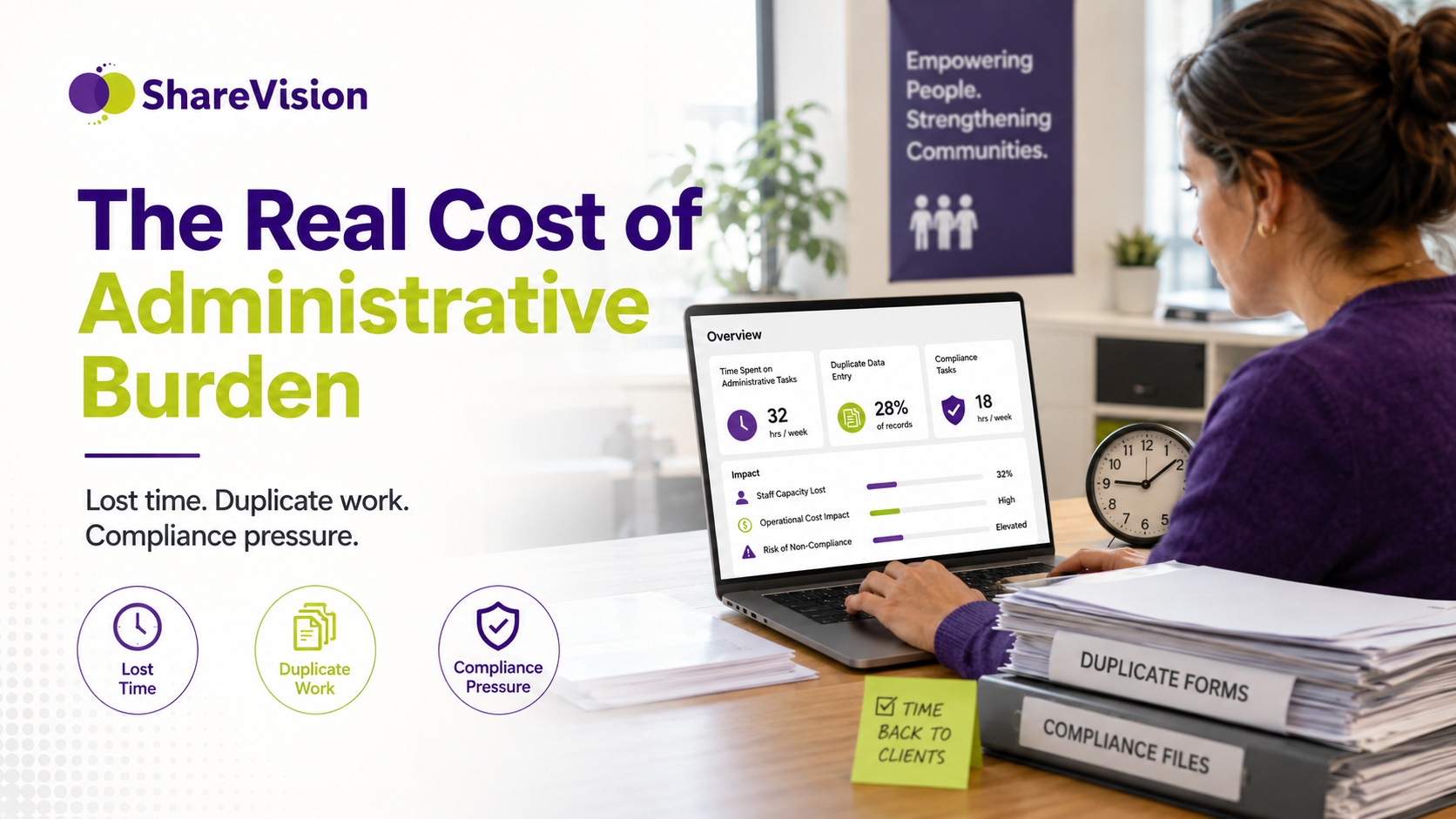
Administrative burden is often treated as an inconvenience. In reality, it affects service quality, staff retention, compliance, reporting accuracy, and organizational capacity.
When administrative tasks are inefficient, the cost shows up in several ways.
|
Area Affected |
What Happens |
|
Client care |
Staff have less time for direct support, follow-up, and relationship building |
|
Staff morale |
Frontline workers feel frustrated, overwhelmed, and disconnected from meaningful work |
|
Productivity |
Teams lose hours to duplicate entry, manual reports, and searching for information |
|
Compliance |
Missing or inconsistent documentation increases risk |
|
Reporting |
Leaders lack timely, accurate data for decision-making |
|
Funding |
Poor reporting can make it harder to demonstrate impact |
|
Growth |
Manual processes become harder to manage as programs expand |
|
Retention |
Burnout contributes to turnover and loss of experienced staff |
The hidden cost is time.
A few extra minutes of duplicate documentation may not seem significant. But across dozens of staff members, hundreds of client interactions, and thousands of service records, those minutes become a major operational drain.
For example, if 50 staff members each lose only 30 minutes per day to duplicate data entry, that adds up to 25 staff hours every day. Over a year, that can represent thousands of hours that could have been used for client support, supervision, outreach, program improvement, or staff development.
One of the most common causes of administrative burden in human services is duplicate data entry.
A frontline worker may complete a client visit, take notes, update a client record, enter statistics into a spreadsheet, email a supervisor, upload a form, and later help produce a monthly report. The same information may appear in four or five different places.
This creates several problems.
|
Duplicate Entry Problem |
Why It Matters |
|
Wasted staff time |
Staff repeat the same task instead of moving work forward |
|
Inconsistent records |
Information may be updated in one place but not another |
|
Increased errors |
Manual re-entry raises the chance of mistakes |
|
Delayed reporting |
Data must be cleaned, copied, and verified before use |
|
Staff frustration |
Repetitive admin work reduces motivation and productivity |
|
Compliance risk |
Conflicting records can create problems during reviews |
The solution is not simply telling staff to document faster. The solution is designing systems where information is entered once and used wherever it is needed.
A strong human services case management platform should allow organizations to collect client information once, then reuse that information across service notes, care plans, dashboards, reports, workflows, and compliance documentation.
Administrative burden does not only affect staff. It affects the people receiving services.
When documentation systems are inefficient, clients may experience delays, repeated questions, inconsistent communication, and slower access to support.
Every hour spent on unnecessary paperwork is an hour that cannot be spent with clients.
Staff may have less time for:
|
Client-Facing Activity |
How Administrative Burden Interferes |
|
Direct support |
Appointments may be shorter or less frequent |
|
Follow-up calls |
Staff may delay outreach because paperwork takes priority |
|
Crisis prevention |
Teams have less time for proactive check-ins |
|
Relationship building |
Administrative pressure can make interactions feel rushed |
|
Care coordination |
Staff may struggle to share updates quickly |
|
Community outreach |
Teams have less capacity to reach underserved clients |
Human services work depends on trust, consistency, and time. Administrative overload puts pressure on all three.
When information is scattered across systems, staff and supervisors cannot easily see the full picture.
Simple questions become harder to answer:
|
Question |
Why It Becomes Difficult |
|
When was the last client contact? |
Notes may be stored in different places |
|
Has the care plan been updated? |
Plans may not be connected to service activity |
|
Are required forms complete? |
Compliance items may be tracked manually |
|
What services has the client received? |
Utilization data may be spread across programs |
|
Is follow-up overdue? |
Tasks may rely on memory or separate reminders |
|
What outcomes are improving? |
Outcome data may not be connected to daily work |
When teams cannot access current information quickly, decisions slow down. In human services, delayed decisions can affect safety, continuity, and quality of care.
Manual administrative processes increase the risk of mistakes.
Common documentation issues include:
|
Documentation Issue |
Potential Consequence |
|
Missing notes |
Incomplete client history |
|
Outdated records |
Staff may act on incorrect information |
|
Conflicting data |
Reports may be unreliable |
|
Forgotten follow-ups |
Clients may experience service delays |
|
Incomplete forms |
Compliance or funding issues |
|
Unclear ownership |
Staff may not know who is responsible for next steps |
Errors are not usually caused by careless staff. They are often caused by systems that make accurate documentation harder than it needs to be.
Nonprofit staff burnout is a major challenge in human services. The work is emotionally demanding, staffing is often tight, and organizations must do more with limited resources.
Administrative burden makes this worse.
Most frontline workers enter human services because they want to help people. They want to support clients, solve problems, advocate for families, build relationships, and strengthen communities. When their workday becomes dominated by paperwork, they can feel disconnected from the purpose that brought them into the field.
|
Burnout Driver |
How Administrative Burden Contributes |
|
Emotional exhaustion |
Staff face client needs plus heavy documentation demands |
|
Low morale |
Repetitive paperwork makes work feel less meaningful |
|
Turnover |
Staff may leave for roles with less administrative pressure |
|
Recruitment challenges |
New employees may be discouraged by inefficient systems |
|
Reduced productivity |
Burned-out staff have less capacity for complex work |
|
Loss of expertise |
Experienced employees take institutional knowledge with them |
Reducing administrative burden is not only an efficiency strategy. It is also a staff retention strategy.
When organizations simplify documentation, automate routine tasks, and improve access to information, they help staff spend more time doing the work they are trained to do.
Spreadsheets are common in human services because they are familiar, flexible, and inexpensive. For a small team or short-term project, they can be useful.
But as organizations grow, spreadsheets often become a source of administrative burden.
|
Spreadsheet Challenge |
Operational Impact |
|
Multiple file versions |
Staff may not know which file is current |
|
Manual updates |
Data must be copied, pasted, and checked |
|
Limited permissions |
Sensitive client information may not be adequately protected |
|
No audit trail |
It can be difficult to see who changed what |
|
Reporting delays |
Data must be cleaned before it can be used |
|
Human error |
Formulas, filters, and copied data can create mistakes |
|
Poor scalability |
Large programs quickly outgrow spreadsheet-based tracking |
The biggest issue is that spreadsheets usually sit outside the daily service workflow.
Staff document work in one place, then update a spreadsheet somewhere else. Supervisors review another file. Leadership receives a separate report. Funders may require yet another format.
This creates a cycle of repeated administrative work.
A better approach is to use centralized human services software where information is collected during normal service delivery and can be reported on without manual re-entry.
Many organizations rely on different tools for different parts of service delivery.
One system stores client records. Another manages scheduling. A spreadsheet tracks outcomes. Email handles internal updates. A shared drive stores forms. A separate tool supports billing or funding reports.
Each tool may solve a specific problem, but disconnected systems create larger operational challenges.
|
Disconnected System Problem |
Result |
|
Client information is scattered |
Staff waste time searching for records |
|
Reporting requires exports |
Managers manually combine data from multiple tools |
|
Updates are not synchronized |
One system may show old or incomplete information |
|
Staff duplicate work |
The same details are entered multiple times |
|
Leaders lack real-time visibility |
Decisions rely on delayed or incomplete reports |
|
Compliance is harder to prove |
Documentation must be collected from several places |
Disconnected systems make it difficult to answer basic operational questions quickly.
For example:
|
Leadership Question |
Why It Matters |
|
How many clients were served this month? |
Program volume and funder reporting |
|
Which services are most in demand? |
Resource planning |
|
Are staff completing documentation on time? |
Compliance and supervision |
|
Which outcomes are improving? |
Program effectiveness |
|
Where are bottlenecks occurring? |
Process improvement |
|
Are follow-ups overdue? |
Client safety and continuity of care |
When the answers require manual data gathering, reporting becomes a burden instead of a management tool.
Human services work often happens outside the office.
Staff may provide services in:
|
Service Location |
Documentation Need |
|
Client homes |
Access records and enter notes in real time |
|
Schools |
Review plans, update progress, and coordinate support |
|
Shelters |
Capture urgent information securely |
|
Community centers |
Complete assessments and follow-ups |
|
Residential programs |
Track daily supports and incidents |
|
Hospitals or clinics |
Coordinate care with other providers |
|
Employment sites |
Document job coaching and progress |
If frontline staff have to return to the office to complete documentation, administrative burden increases. Notes may be delayed, details may be forgotten, and supervisors may not have timely visibility into client needs.
Mobile access helps staff:
|
Mobile Capability |
Benefit |
|
Enter notes immediately |
Improves accuracy and timeliness |
|
Access client history |
Supports better service decisions |
|
Upload documents |
Reduces paper handling |
|
Complete forms in the field |
Speeds up intake and assessments |
|
Capture signatures |
Simplifies approvals and consent |
|
Receive reminders |
Reduces missed follow-ups |
|
Update care plans |
Keeps records current |
Mobile documentation is not just a convenience. For community-based human services programs, it is increasingly essential.
Automation can play a major role in reducing paperwork in social services.
In human services, automation does not replace professional judgment, compassion, or relationship-based care. Instead, it reduces repetitive administrative steps so staff can focus on higher-value work.
|
Manual Task |
Automated Alternative |
|
Remembering follow-up dates |
Automatic task reminders |
|
Emailing supervisors for approvals |
Workflow-based approval routing |
|
Creating recurring reports |
Scheduled dashboards and report generation |
|
Checking for missing forms |
Automated documentation alerts |
|
Assigning next steps |
Rules-based task creation |
|
Tracking deadlines |
Automated notifications |
|
Rebuilding standard documents |
Template-based document generation |
Automation is especially valuable for recurring processes such as intake, assessment, service planning, incident review, approvals, referrals, and reporting.
A well-designed workflow can guide staff through required steps, reduce missed tasks, and create consistency across programs.
Reporting is essential for human services organizations. Funders, boards, leadership teams, regulators, and community partners all need accurate information.
But reporting should not require staff to document the same work multiple times.
A better reporting model is simple:
|
Reporting Need |
Better System Approach |
|
Monthly funder reports |
Generate from existing service data |
|
Program dashboards |
Update automatically as staff enter information |
|
Outcome tracking |
Connect outcomes directly to client records |
|
Compliance reviews |
Pull required documentation from one system |
|
Board reports |
Use real-time program and service data |
|
Staff productivity reports |
Track activity without manual spreadsheets |
|
Service utilization |
Report across programs, locations, or teams |
This approach improves both efficiency and data quality.
When information is entered once and used across multiple reporting needs, organizations reduce staff workload while improving confidence in their data.
Many organizations become so used to inefficient processes that they stop noticing how much time is being lost.
Here are common warning signs.
|
Warning Sign |
What It Usually Means |
|
Staff enter the same information more than once |
Systems are not connected or workflows are poorly designed |
|
Reports take days or weeks to prepare |
Data is scattered or difficult to access |
|
Supervisors chase staff for missing documentation |
There is no automated tracking or reminder system |
|
Staff rely heavily on spreadsheets |
Core systems are not meeting operational needs |
|
Client information is stored in multiple places |
There is no central source of truth |
|
Leaders lack real-time visibility |
Reporting is too manual |
|
Mobile workers delay documentation |
Tools are not designed for field-based work |
|
Staff complain about paperwork |
Administrative processes are interfering with service delivery |
|
Compliance reviews are stressful |
Documentation is hard to locate or verify |
|
Growth creates more manual work |
Current systems are not scalable |
If several of these issues sound familiar, the organization may not need more administrative effort. It may need better administrative design.
Reducing administrative burden requires more than adding another tool. Organizations need to examine how information moves through their programs, where duplication occurs, and which tasks can be simplified or automated.
Below are practical steps human services organizations can take.
Start by identifying where staff collect, enter, store, and report information.
Ask:
|
Process Question |
Why It Matters |
|
Where does client information first enter the organization? |
Helps identify intake inefficiencies |
|
How many times is the same information entered? |
Reveals duplication |
|
Which forms are required by funders or regulators? |
Separates essential documentation from internal habits |
|
Which reports are created manually? |
Identifies automation opportunities |
|
Where do staff experience the most frustration? |
Highlights high-impact improvements |
|
Which systems do not communicate with each other? |
Reveals integration or consolidation needs |
Organizations often discover that staff are maintaining processes that were created years ago and no longer serve a clear purpose.
Client information should be centralized, secure, and accessible to authorized staff.
A single source of truth helps organizations:
|
Benefit |
Impact |
|
Reduce duplicate entry |
Staff update information in one place |
|
Improve collaboration |
Teams work from the same current record |
|
Strengthen compliance |
Documentation is easier to locate |
|
Improve reporting |
Data is more consistent |
|
Support continuity of care |
Staff can understand client history quickly |
Without a central system, staff spend too much time confirming which record is accurate.
Inconsistent documentation creates confusion and slows down reporting.
Standardized forms and workflows help ensure that staff collect the right information in the right way.
Examples include:
|
Workflow |
Standardization Opportunity |
|
Intake |
Use consistent digital forms and required fields |
|
Assessment |
Create structured templates by program type |
|
Service planning |
Connect goals, actions, and progress notes |
|
Incident reporting |
Use clear steps for submission, review, and follow-up |
|
Approvals |
Route items automatically to the right supervisor |
|
Discharge or transition |
Ensure required documentation is complete |
Standardization does not mean every program must operate exactly the same way. It means each process should be clear, consistent, and easy to follow.
Manual reporting consumes enormous staff time.
Dashboards can help leaders monitor program activity without waiting for monthly spreadsheet updates.
Useful dashboard metrics may include:
|
Dashboard Metric |
Why It Helps |
|
Clients served |
Tracks service volume |
|
Open referrals |
Shows demand and intake pressure |
|
Overdue documentation |
Supports compliance |
|
Staff activity |
Helps supervisors manage workload |
|
Service utilization |
Supports funding and planning |
|
Outcomes achieved |
Demonstrates impact |
|
Incidents or critical events |
Improves visibility and response |
|
Waitlist status |
Supports capacity planning |
Dashboards should be designed around decisions, not vanity metrics. The best dashboards help leaders act faster.
Mobile access is critical for frontline worker productivity.
Staff should be able to securely access the information they need wherever services are delivered. This reduces delays, improves documentation accuracy, and helps supervisors see updates sooner.
Look for recurring tasks that do not require human judgment.
These may include:
|
Task |
Automation Opportunity |
|
Follow-up reminders |
Automatic alerts |
|
Missing documentation |
System notifications |
|
Approvals |
Workflow routing |
|
Report generation |
Scheduled reporting |
|
Recurring forms |
Digital templates |
|
Task assignments |
Rule-based workflows |
|
Document creation |
Auto-filled templates |
Automation should make work easier for staff, not add another layer of complexity.
Generic software often requires human services organizations to build workarounds.
A purpose-built human services case management platform is designed around client records, service documentation, reporting, workflows, permissions, outcomes, and compliance needs.
When evaluating technology, organizations should ask:
|
Software Question |
Why It Matters |
|
Can staff document services easily? |
Adoption depends on usability |
|
Does it reduce duplicate data entry? |
Efficiency depends on eliminating repetition |
|
Can forms and workflows be configured? |
Programs need flexibility |
|
Does it support mobile work? |
Frontline staff often work in the community |
|
Are reports and dashboards built in? |
Leaders need timely information |
|
Can permissions be customized? |
Sensitive client information must be protected |
|
Does it scale across programs? |
Organizations need room to grow |
|
Can it support compliance requirements? |
Documentation must be reviewable and secure |
The right platform should reduce administrative work, not simply digitize inefficient processes.
ShareVision is a configurable case management platform built for organizations that deliver human services.
It helps nonprofits, community agencies, disability service providers, behavioral health organizations, child and family service providers, residential programs, and other client-centered organizations reduce administrative burden by centralizing information, streamlining documentation, automating workflows, and simplifying reporting.
Instead of relying on spreadsheets, paper forms, emails, and disconnected systems, ShareVision gives teams one secure place to manage client information and program activity.
|
ShareVision Capability |
How It Reduces Administrative Burden |
|
Centralized client records |
Gives staff one reliable source of truth |
|
Custom forms |
Replaces paper forms and inconsistent templates |
|
Mobile access |
Allows frontline workers to document in the field |
|
Workflow automation |
Reduces manual reminders, routing, and follow-up |
|
Dashboards |
Gives leaders real-time visibility into program activity |
|
Reporting tools |
Reduces time spent building manual reports |
|
Secure permissions |
Helps protect sensitive client information |
|
Document management |
Keeps important files organized and accessible |
|
Outcome tracking |
Connects services to measurable impact |
|
Configurable workflows |
Adapts to existing programs and processes |
ShareVision is designed to support the way human services organizations actually work. Because the platform is configurable, organizations can build workflows around their programs instead of forcing staff into rigid processes that do not fit their services.
The result is less duplicate documentation, fewer manual reports, better collaboration, stronger visibility, and more time for frontline staff to focus on clients.
|
Current Challenge |
Better Approach With a Case Management Platform |
|
Staff enter notes in multiple places |
Notes are entered once and connected to the client record |
|
Reports are built manually |
Reports and dashboards use existing service data |
|
Supervisors chase missing forms |
Automated reminders flag incomplete documentation |
|
Client information is scattered |
Authorized staff access one centralized record |
|
Mobile workers wait until later to document |
Staff update records securely from the field |
|
Spreadsheets track critical information |
Structured forms and dashboards replace manual tracking |
|
Compliance reviews require file searching |
Documentation is organized and easier to retrieve |
|
Program leaders lack visibility |
Real-time dashboards show activity, outcomes, and trends |
Reducing administrative burden is not only an operational improvement. It can support better financial, staffing, and service outcomes.
|
Organizational Goal |
How Reducing Administrative Burden Helps |
|
Improve client care |
Staff have more time for direct support |
|
Increase staff retention |
Less frustration and repetitive work |
|
Strengthen compliance |
Documentation is more consistent and accessible |
|
Improve funding reports |
Data is easier to collect and verify |
|
Support growth |
Processes scale more easily across programs |
|
Improve leadership decisions |
Dashboards provide timely information |
|
Reduce risk |
Secure systems improve documentation control |
|
Increase productivity |
Staff spend less time on manual admin tasks |
Human services organizations often operate with limited resources. That makes staff time one of the most valuable assets they have.
Every hour saved on unnecessary administration can be redirected toward higher-value work.
Administrative burden is usually caused by duplicate data entry, manual reporting, disconnected systems, paper forms, complex compliance requirements, and workflows that rely too heavily on spreadsheets or email.
Administrative burden reduces the time staff can spend with clients. It can also increase staff burnout, slow decision-making, create reporting delays, and raise the risk of documentation errors.
Nonprofits can reduce paperwork by centralizing client records, digitizing forms, automating workflows, replacing spreadsheets with dashboards, supporting mobile documentation, and using case management software designed for human services.
No. Reducing paperwork means removing unnecessary duplication and manual effort. Strong documentation, reporting, and compliance processes are still essential. The goal is to make those processes more efficient and reliable.
Organizations should look for configurable workflows, centralized client records, secure permissions, mobile access, custom forms, workflow automation, dashboards, reporting tools, and the ability to support multiple programs.
Workflow automation helps by creating reminders, routing approvals, generating tasks, flagging missing documentation, and reducing repetitive administrative steps. This gives frontline staff more time to focus on client support.
Administrative work will always be part of human services. Organizations need documentation, reporting, compliance, and accountability.
But administrative work should not overwhelm the mission.
When staff spend too much time entering duplicate data, managing spreadsheets, searching for records, and building manual reports, client care suffers. Staff morale suffers. Leaders lose visibility. Organizations lose capacity.
Reducing administrative burden in human services starts with one important shift: designing systems around the people doing the work.
The right case management platform can help organizations document services once, use data more effectively, automate routine tasks, improve reporting, and give frontline staff more time with clients.
For human services organizations, that time matters.
It means more conversations.
More follow-ups.
More support.
More trust.
More impact.
If your organization is relying on spreadsheets, paper forms, disconnected systems, or manual reporting, it may be time to evaluate whether your current tools are supporting your staff or slowing them down.
ShareVision helps human services organizations streamline documentation, improve reporting, automate workflows, and reduce administrative burden so staff can spend more time where they make the greatest difference: with the people they serve.
Book a free ShareVision demo to see how a configurable human services case management platform can help your organization reduce paperwork, improve productivity, and strengthen client care.
Learn how to measure nonprofit outcomes, prove impact, satisfy funders, track human services KPIs, and improve reporting without overwhelming...
Learn how to become a certified case manager with our step-by-step guide, including education, certification, and specialization options for a...
Avoid last-minute chaos with these 10 community fundraising tips to plan a stronger, calmer year-end giving campaign. Learn how to engage donors,...